Join
Everything in the community programme — quests, streaks, referrals, credits — requires a verified account. This page takes you from nothing to a fully active member.
Your account is made of:
- a Google account — how you sign in, and your account email;
- a wallet — linked once, it is where your on-chain quests count;
- three linked accounts: Discord, Telegram and X.
Verifying all of them turns your account into a full member: it unlocks quest claiming and pays a one-time +30 credit signup bonus.
Open the Orbinum App and follow the steps below.
1. Continue with Google
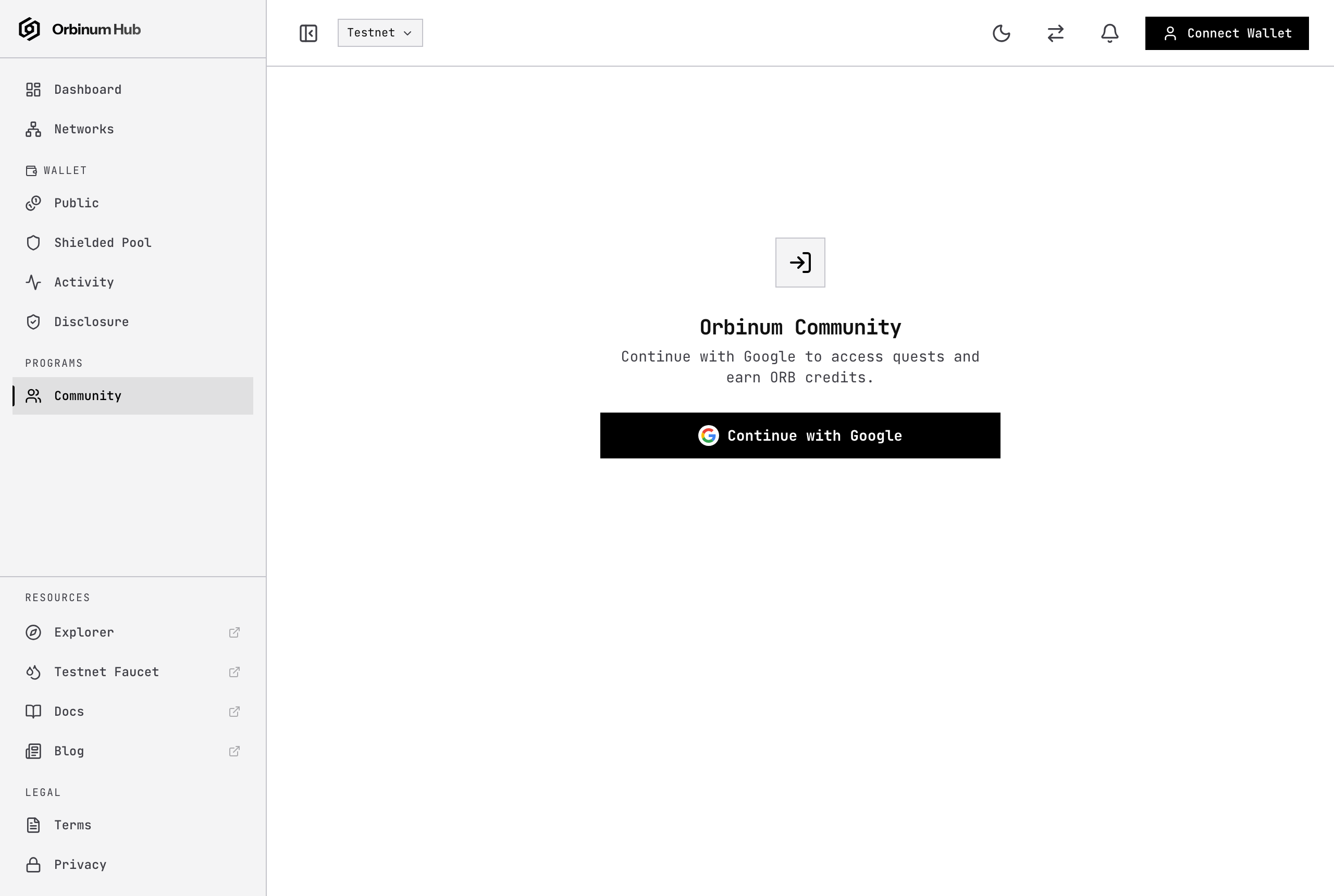
On the Community page, press Continue with Google.
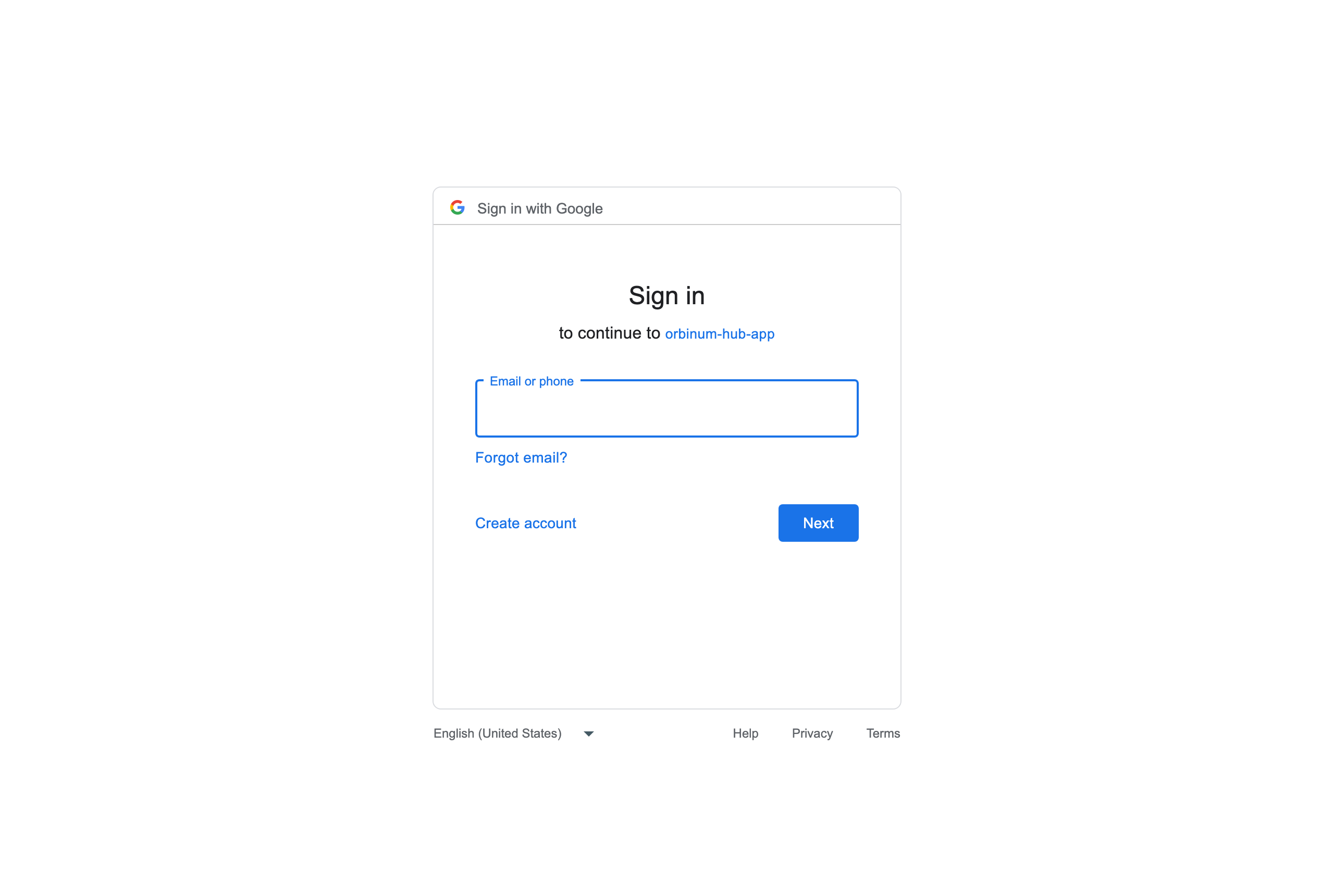
Google asks you to choose the account to use. Pick the one you want for Orbinum — it becomes your sign-in and your account email, and each Google account can hold only one Orbinum account.
You come straight back to the app. What you see next depends on whether you already have an account:
| You are… | Next step |
|---|---|
| New to Orbinum | 2. Register |
| A member from before Google sign-in (you registered with a wallet) | Sync your wallet |
| Already signed in with Google before | Nothing — you land on your dashboard. |
2. Register (new account)
The Register button is selected by default.
- Pick a profile name (3–30 characters: letters, numbers, spaces,
-or_). - Add a referral code if someone invited you (optional — a referral link fills it in for you).
- Press Connect wallet and choose your wallet. This is the wallet your on-chain quests will count for. A Solana wallet (Phantom, Solflare, Backpack) works too; its Solana and SS58 spellings are the same wallet.
- Press Register & sign and approve the signature in your wallet.
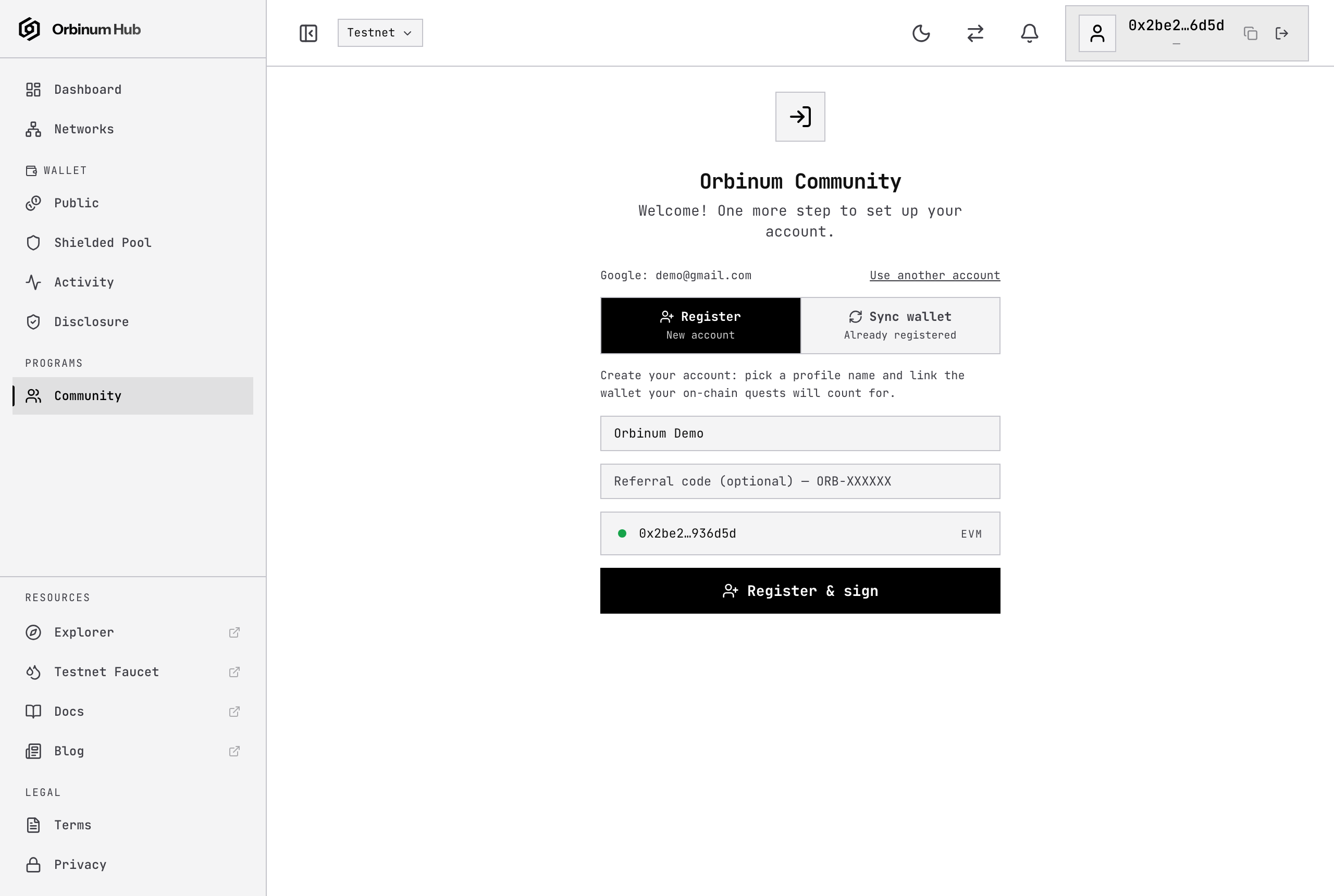
The signature only proves you hold the wallet: no transaction, no gas, no funds moved. Your account is created and you are signed in.
Already had an account? Sync your wallet
If you registered before Google sign-in existed — with your wallet only — your account is still there. Sync it to your Google account once:
- After Continue with Google, choose Sync wallet (Already registered).
- Press Connect wallet and choose the same wallet you registered with.
- Press Sync & sign and approve the signature.
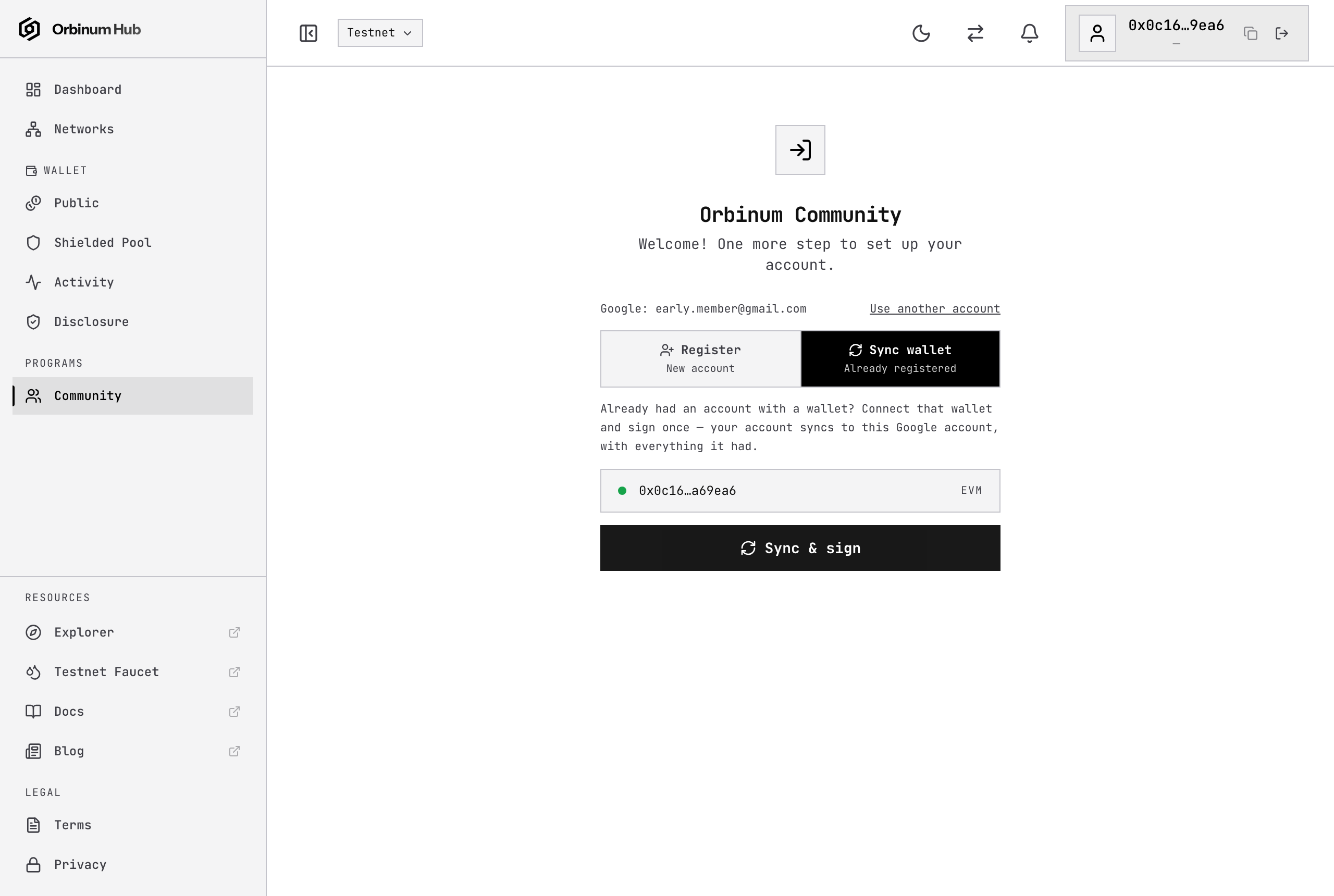
That's it — you land on your existing account, with everything it had: credits, level, streaks, quest history, referrals and linked accounts.
If you see "No account uses this wallet", the connected wallet is not the one your account was created with. Switch to that wallet in your extension and try again — or, if you are actually new, choose Register.
If you see "This Google account already has an account", that Google account is already in use: sign in with it, or use Use another account to pick a different Google account.
Signing in later
Just press Continue with Google — no wallet needed. While your session is still valid you go straight in.
3. Verify your account
Link Discord, Telegram and X from the Community card (on the Overview and Profile tabs). Each one is checked against the official channel, so join them first if you have not already.
When Discord, Telegram and X are all linked and verified, your account flips to active and onboarding is complete.
Reaching active for the first time pays +30 ORB Credits, automatically.
It shows up in your History as a signup event.
Paid once per account — re-linking after a restriction does not pay it again.
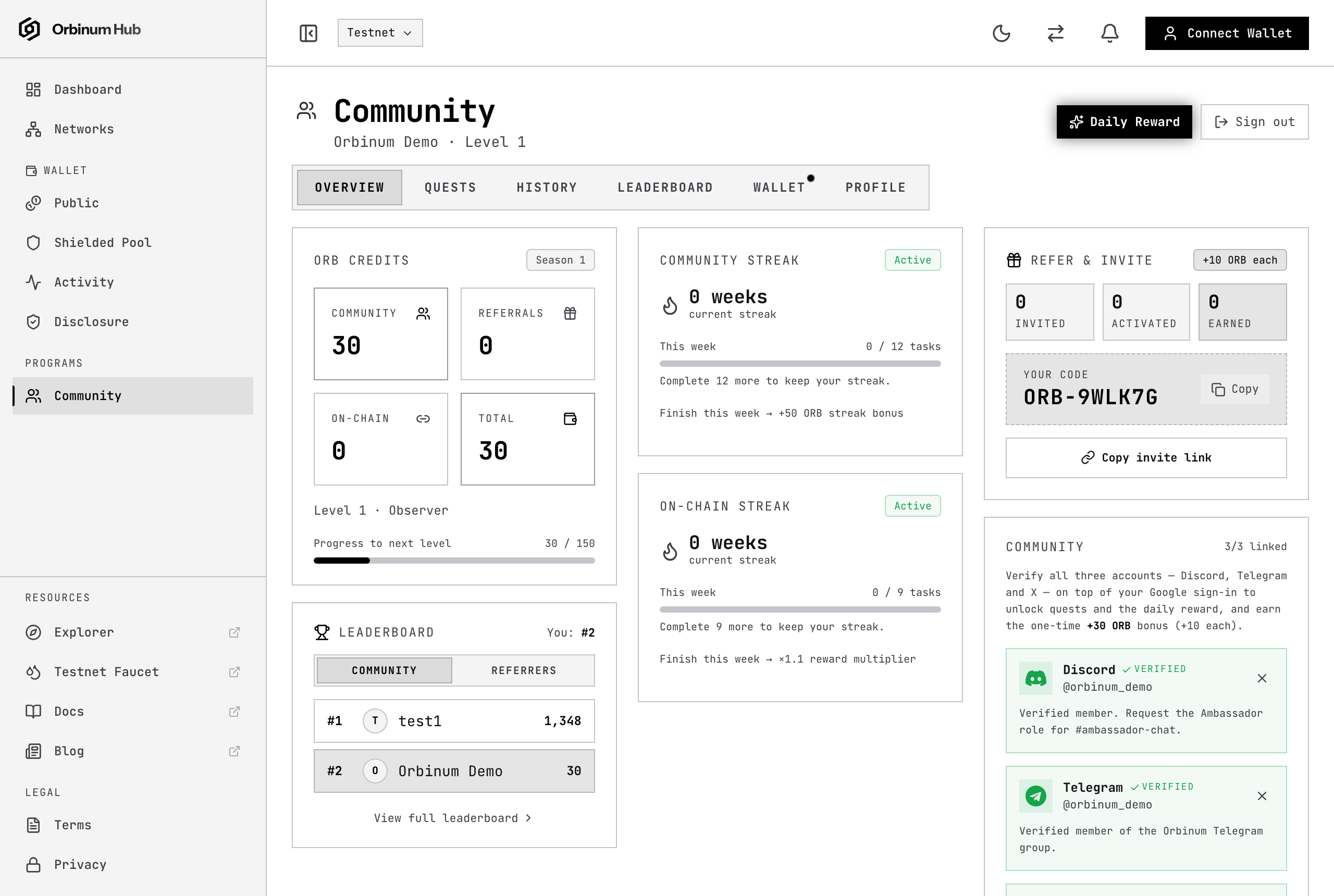
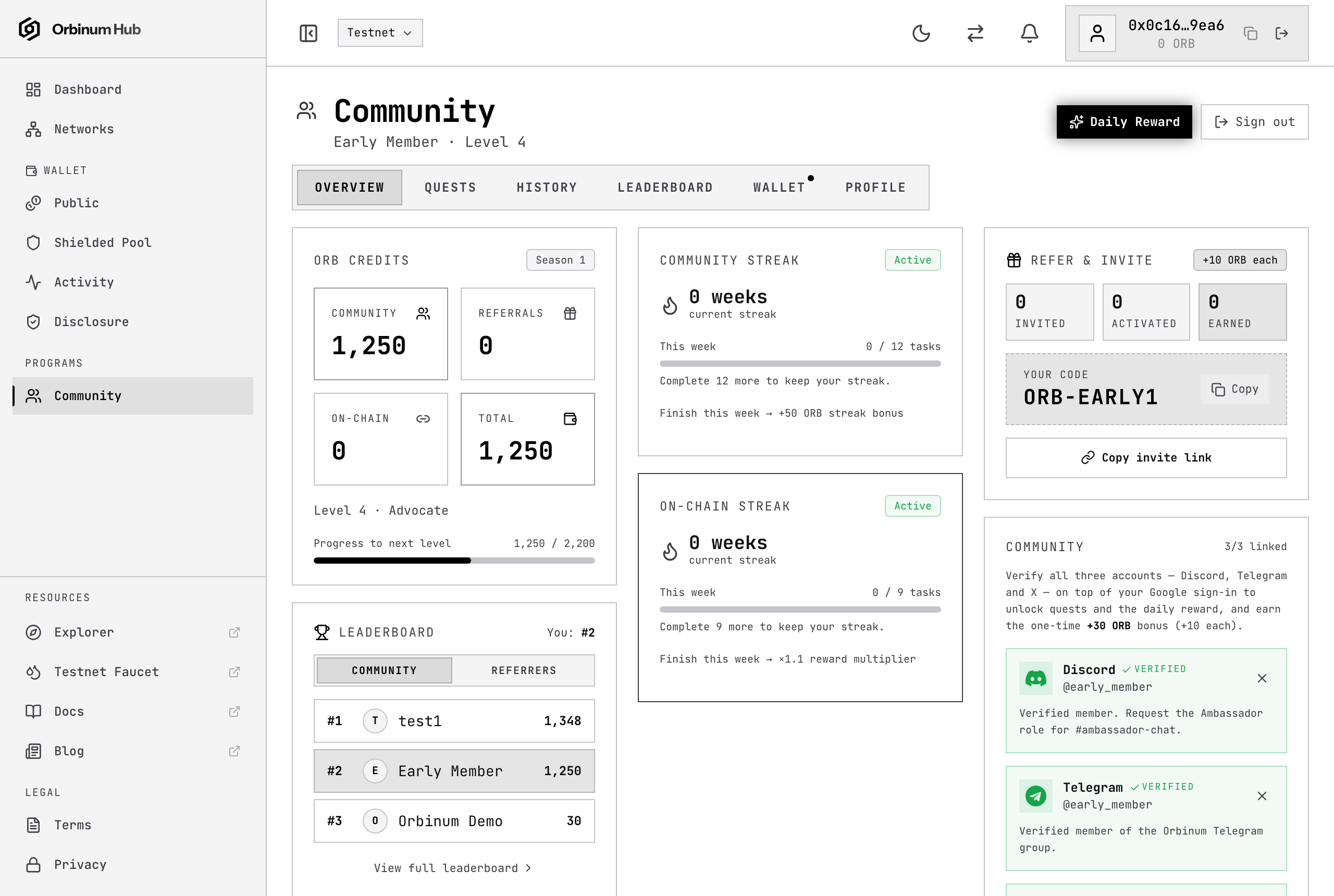
This is your member overview: credits balance, level, streaks, your referral code and the Community card.
The Profile tab shows your profile, your Google account (name, email and since when it is linked) and your linked accounts:
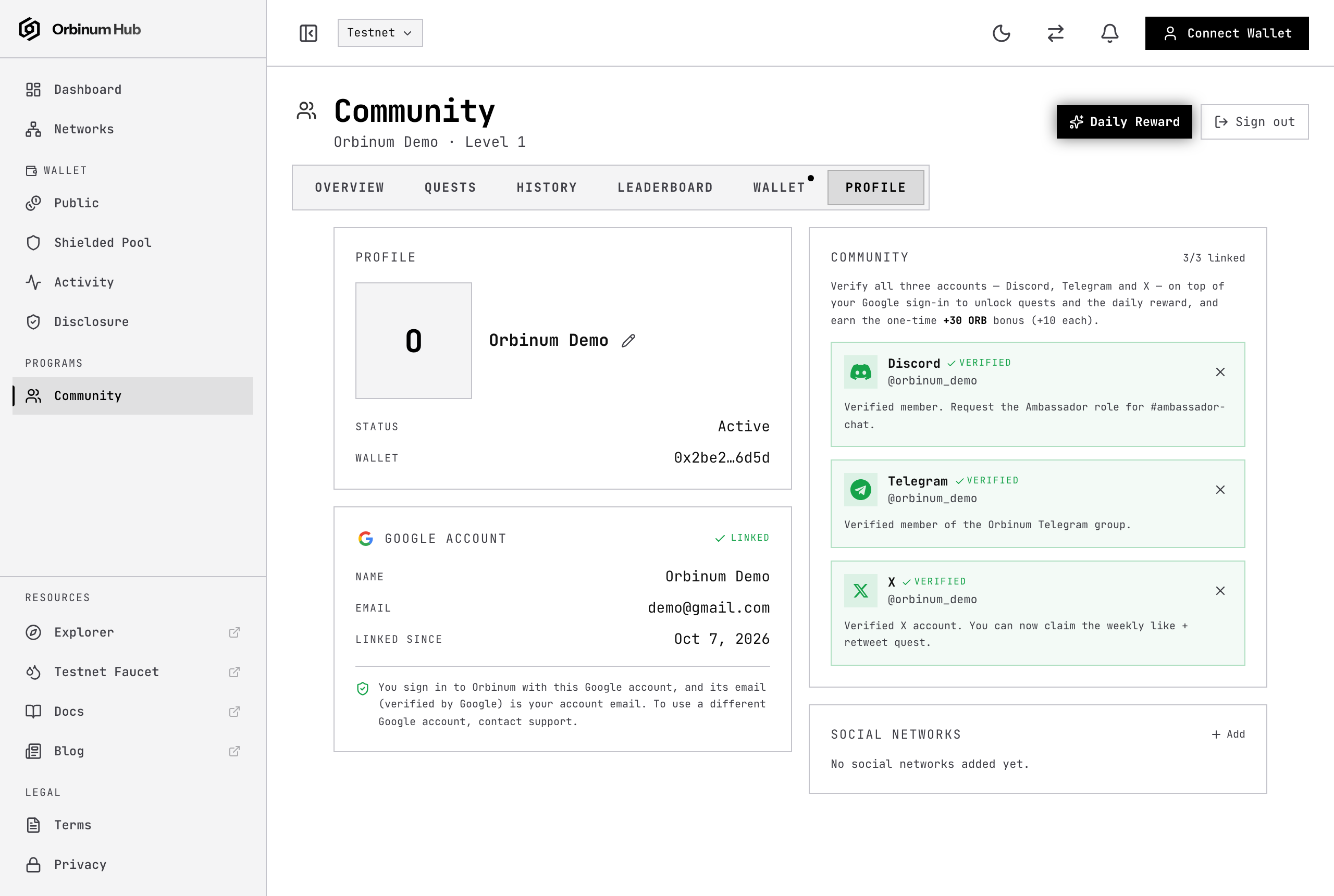
- Your account email is your Google email; it cannot be edited. To move your account to a different Google account, contact support.
- Your linked wallet can be changed from the Wallet tab. On-chain quests count only for the linked wallet, and only for activity sent after it was linked.
What's next
Your account is active. From here:
- Social Quests — the main way to earn ORB Credits.
- Testnet Quests — on-chain quests that walk you through the privacy flow.
- Streaks — daily check-ins that multiply what you earn.
- Referrals — bring others in and earn from their activity.
- ORB Credits — how credits convert to ORB (20% at TGE, 80% over 6 months).