Operate a Validator
Once you validate, Staking → Validator in the app becomes your dashboard. This page walks through it and the operations you will need over the validator's life.
The dashboard
Four figures sit on top:
| Figure | Meaning |
|---|---|
| Status | Active (elected this era), Waiting (a candidate, not elected), Leaving (elected, stopped validating: out at the next era), Banned |
| Commission | Your current commission, and whether you accept nominations |
| Total stake | Your bond plus the nominations backing you this era |
| Era N points | Blocks you authored this era × 20, your share of the era, and the fees pooled in it |
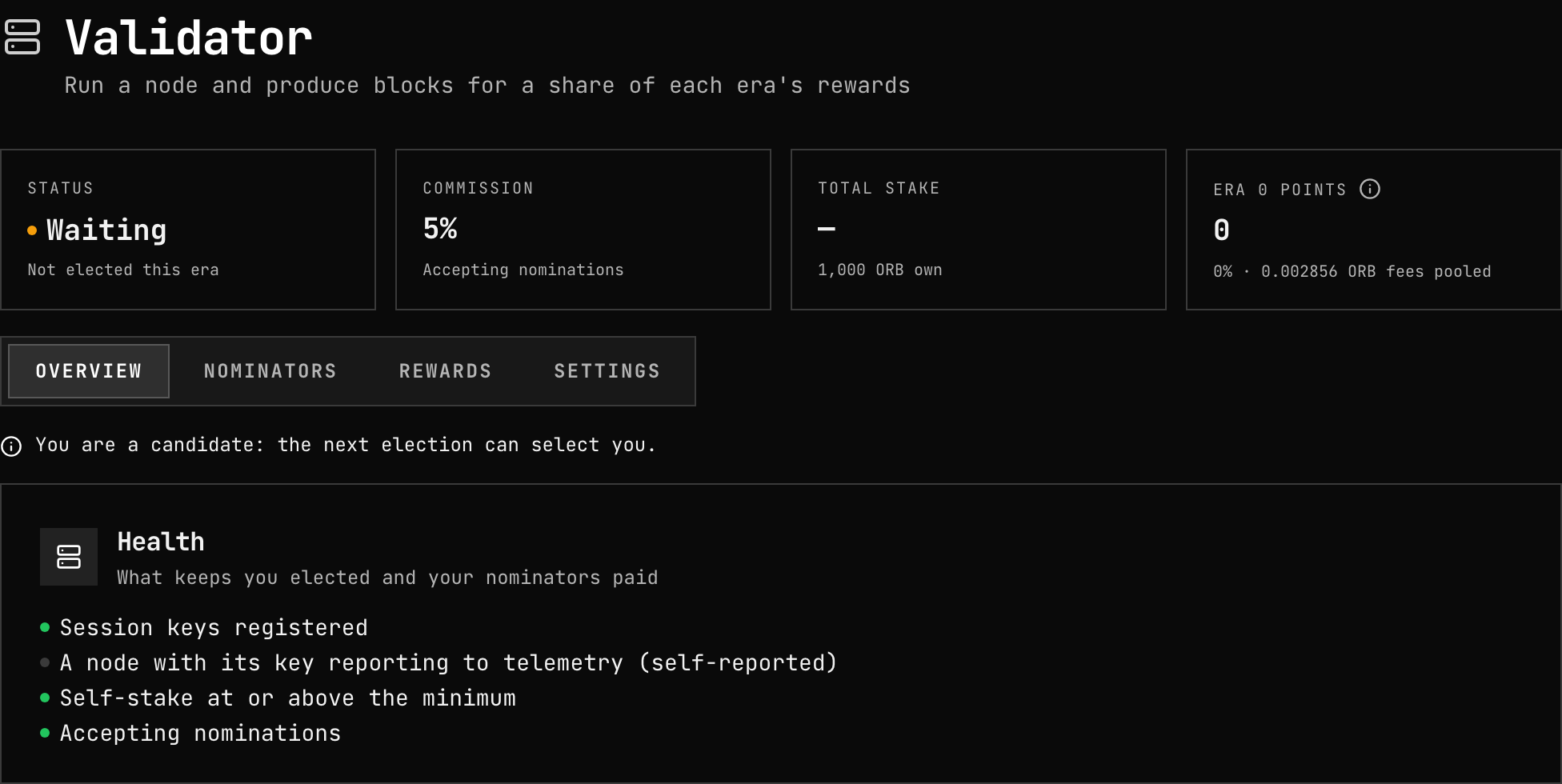
Below them, four tabs.
Overview
A note if anything would keep you out of the next election, then Health: session keys registered, a node reporting your key to telemetry, self-stake at the minimum, and whether you accept nominations. Each failing check says where to fix it.
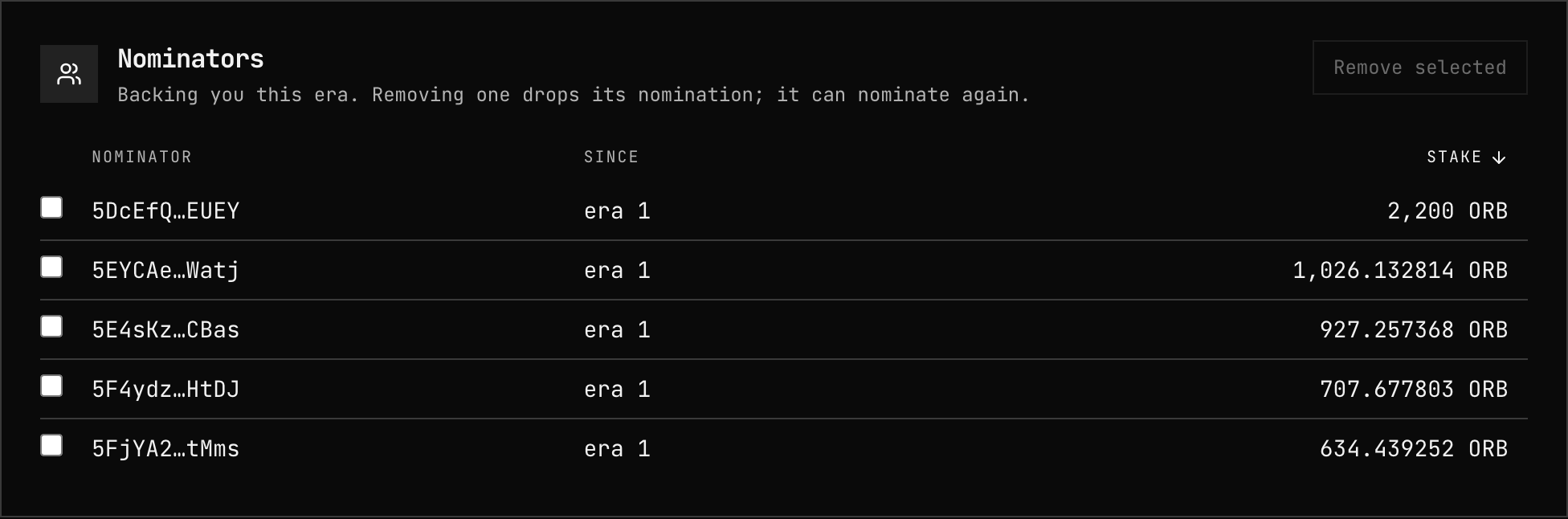
Nominators
Who backs you this era and with how much. You can remove nominators
(staking.kick) — they keep their bond and can nominate others.
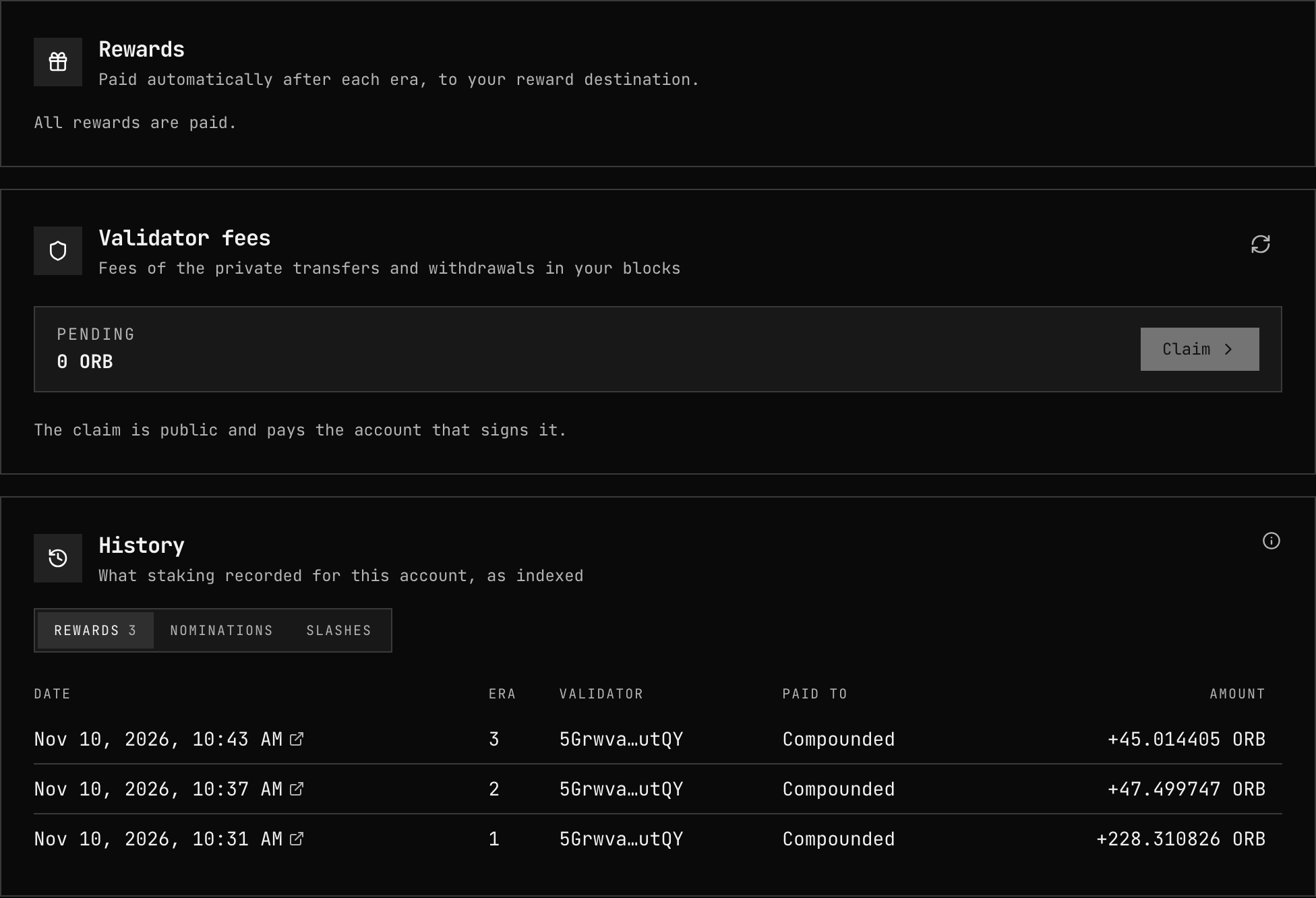
Rewards
- Rewards — the era being paid automatically and any era still pending, with a Claim button for those.
- Validator fees — shielded-pool spend fees waiting to be claimed.
- History — rewards, nominations and slashes, era by era.
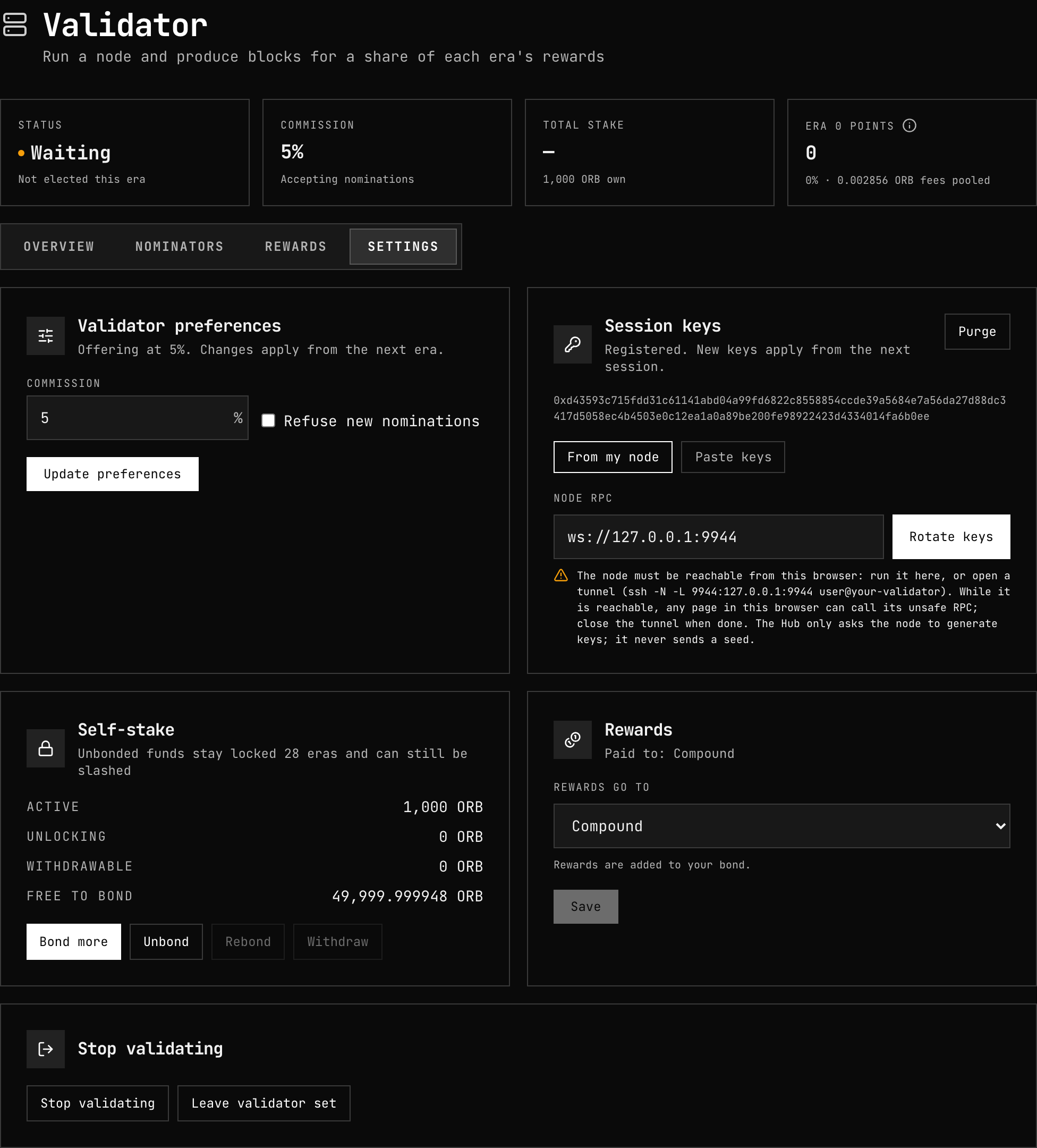
Settings
Commission and acceptance of nominations, session keys, your self-stake (bond more, unbond, rebond, withdraw), where rewards go, and — at the bottom — stopping.
Change your commission
Settings → Validator preferences, then Update preferences (or
staking.validate with the new prefs). The change applies from the next era;
nominators see it in your public record before then.
Add or withdraw self-stake
Settings → Self-stake:
- Bond more adds free balance to your bond.
- Unbond starts the 28-era unbonding of part of it. Keep it at or above the minimum, or you drop out at the next election.
- Rebond returns unbonding funds to the bond before they unlock.
- Withdraw moves unlocked funds back to your free balance.
Rotate session keys
Keys cannot change while your account is in the current or queued set — the chain
refuses setKeys and purgeKeys with code 8 then. To rotate:
- Stop validating (
staking.chill) and wait until your account is out ofsession.validatorsandsession.queuedKeys— up to the end of the era you were elected for, plus one session. - Generate new keys on the node and register them (
session.setKeys). - Validate again. You stand at the next election.
If keys are compromised, contact governance: it can replace them at once
(sudo(sudoAs(validator, session.setKeys(keys, proof)))).
Stop validating
Settings → Stop validating (staking.chill). You stay in the set until the era you
were elected for ends, then become an ordinary bonded account; unbond and withdraw to
recover the funds after 28 eras.
If governance approved your account, Leave validator set
(validatorSet.deregisterValidator) also takes it off the allowlist.
Bans and slashing
A GRANDPA equivocation — two conflicting finality votes, almost always from running the same session keys on two nodes — bans your account permanently, disables your node until the active set changes, and slashes you and your nominators after 26 eras. See Slashing.
After an incident:
- Stop the duplicate node and make sure only one machine holds the keys.
- Generate new session keys on the remaining node.
- Contact governance: it reviews the report, can cancel the slash
(
staking.cancelDeferredSlash) and lift the ban (validatorSet.unbanValidator). - Register the new keys and Validate again.
Downtime is not slashed: an offline validator earns no points for the slots it misses.
Minimum node version
Every block your node authors declares the node's own version (for example 0.7.0),
through the validatorSet.noteAuthorVersion inherent. The node adds it itself.
Governance can require a minimum version from authors with
validatorSet.setMinAuthorVersion. A block without a declaration, or with an older one,
is then invalid: your node keeps importing and voting but stops authoring until it
upgrades. A minimum can only be set once two thirds of the current set — and of the set
queued for the next session — declared it within the last session, so setting it never
stops block production. Operators are notified before it is raised.
What to run. The current release — keep Watchtower on and the node follows releases on its own.
Check where you stand. In Polkadot.js Apps, Developer → Chain state →
validatorSet:
| Query | Returns |
|---|---|
minAuthorVersion | The current minimum, or None |
lastAuthorVersion(yourAccount) | The version your node last declared and the block it did so in |
Below the minimum the node logs at startup and at each slot it skips:
this node's version 0.6.0 is below the minimum 0.7.0: it cannot author until it upgrades
Upgrade and restart — see Image updates. The node authors again at its next slot.
Related
- Bond and Validate — becoming a candidate
- Rewards — how era rewards are paid
- Slashing — the offence and its cost
- Troubleshooting — a node that never authors