Activity
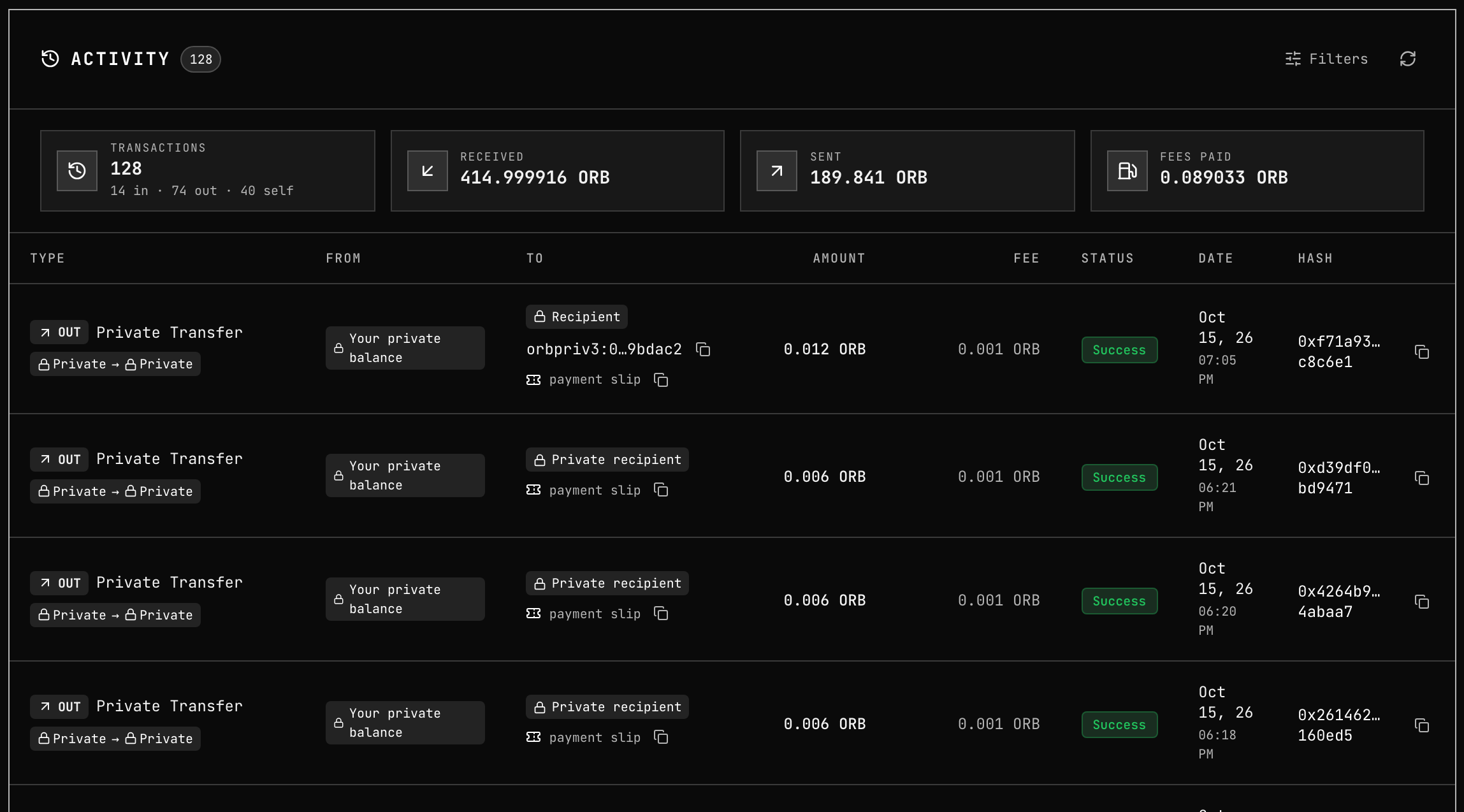
Activity in the app sidebar lists your transactions, public and private together, one row per transaction. Private rows come from your own notes and records, never from anything published on chain.
Filters and totals
Press Filters to narrow the list:
| Filter | Options |
|---|---|
| Search | Search hash or address |
| Scope | All, Public or Private |
| Type | All types, Transfer, Shield, Unshield, Private Transfer, Contract, Other |
| Status | All, Success, Failed |
| Date | A from–to range |
The cards above the list sum the rows the filters leave:
| Card | What it counts |
|---|---|
| Transactions | The number of rows, split into in, out and self (and failed, when there are any) |
| Received | What came in |
| Sent | What went out |
| Fees Paid | The fees you paid |
Private rows need the vault: while it is locked, Activity shows "Private history is locked — unlock your vault to see it." The refresh button reloads the list.
Reading a row
The table columns are Type, From, To, Amount, Fee, Status, Date and Hash. On a phone each row is a card with the same content.
Type carries two badges:
| Badge | Values |
|---|---|
| Direction | IN, OUT or SELF (from you to your own account or privacy address) |
| Route | Public → Private (shield), Private → Private (private transfer), Private → Public (unshield), Public → Public (public transfer) |
An amount shown with ≈ was worked out from what the transfer spent rather than read from the note itself.
How the other side is named
| Shown as | Meaning |
|---|---|
| Your private balance | Your own notes. On a payment you sent, followed by as “name” or as your address when you showed the recipient who paid |
| Anonymous sender | A payment whose sender chose not to be named |
| Sender “name” self-chosen | A pseudonym the sender typed. Nothing proves who they are |
Sender orbpriv3:… verified | The sender's privacy address, proven by the payment itself. You can copy it |
Recipient orbpriv3:… | Who you paid |
| Private recipient | Who you paid, when your wallet has no record of their address |
| Shielded note | A deposit whose owner is not known to you |
| Shielded pool | The pool's own public account |
| A public account marked you | One of your connected accounts |
What the sender chooses: Showing the recipient who paid.
Copy a payment slip
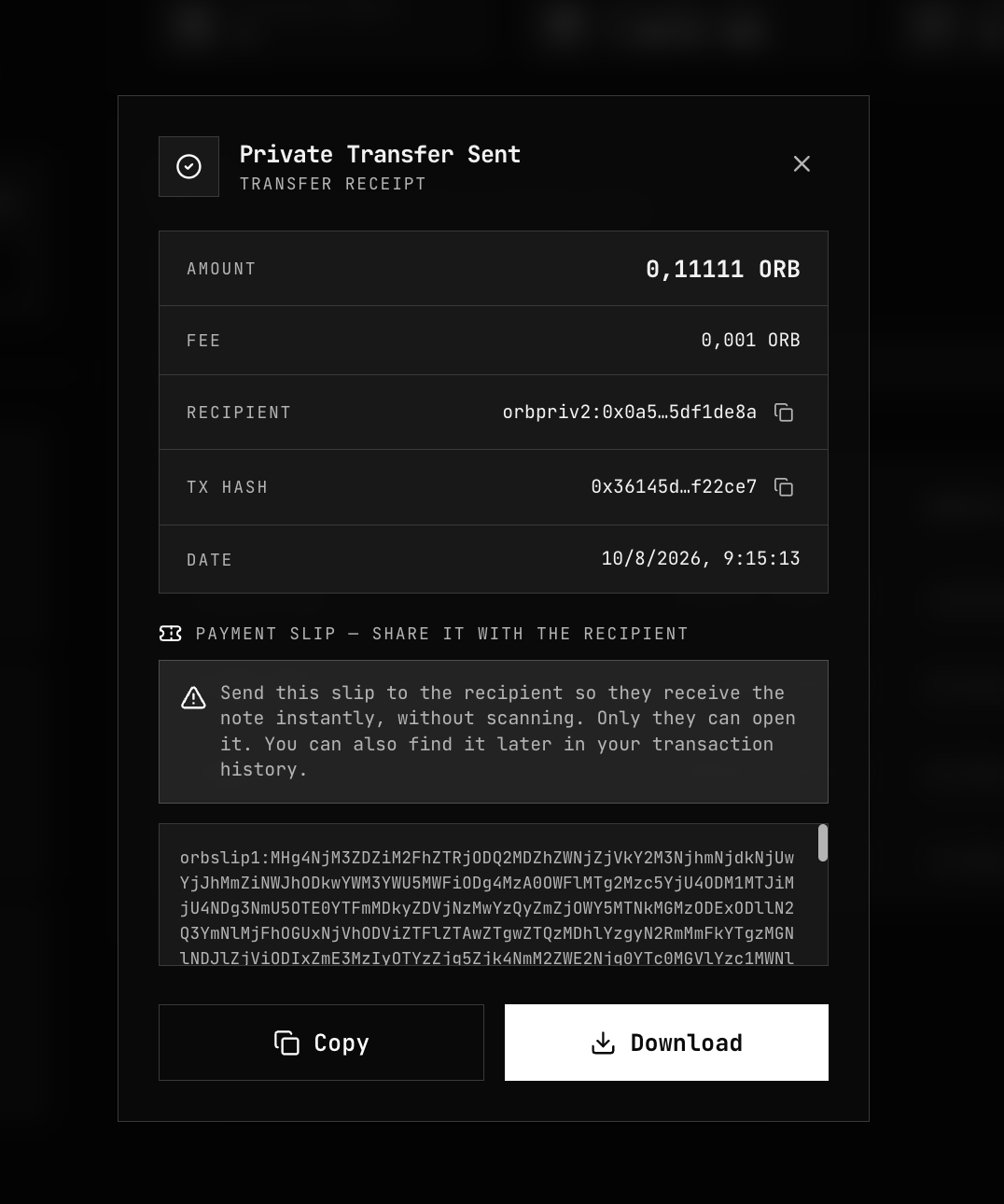
The OUT row of a private transfer you sent to someone else carries a payment slip link under To, with a copy button. On a phone it sits at the bottom of the card. Copy it to send the recipient the slip again — see Payment Slips.
After a restore
Private history is rebuilt from your notes. On a new device or after clearing browser data, run Recover Notes: it restores the payments you received and the payments you sent, with their recipients and fresh payment slips. Importing a note backup restores the notes but not the sent history.
Related
- Payment Slips — sharing a slip from a sent payment
- Recover Notes — rebuilding history on a new device
- Private Transfer — what the sender chooses to show
- Note Discovery — how the wallet recognises its own payments