Recover Notes
Recover Notes scans the whole shielded pool and adds back every note your keys can open. It needs no backup: your notes are on chain, encrypted to you, so the same account can always find them again.
What it restores
A full scan restores, for this account and network:
- every note sent to you or created by you — shields, payments received, change;
- how each note came to you, in the Type column — see Note types;
- which notes are spent;
- the payments you sent, with their recipients and fresh payment slips.
A scan that runs to the end without stopping also removes notes the vault holds that are not on chain. Notes created with another account, or on another network, are not found.
Run it
- Unlock the vault with the same account you used before.
- Open Shielded Pool → More actions (…) → Recover Notes.
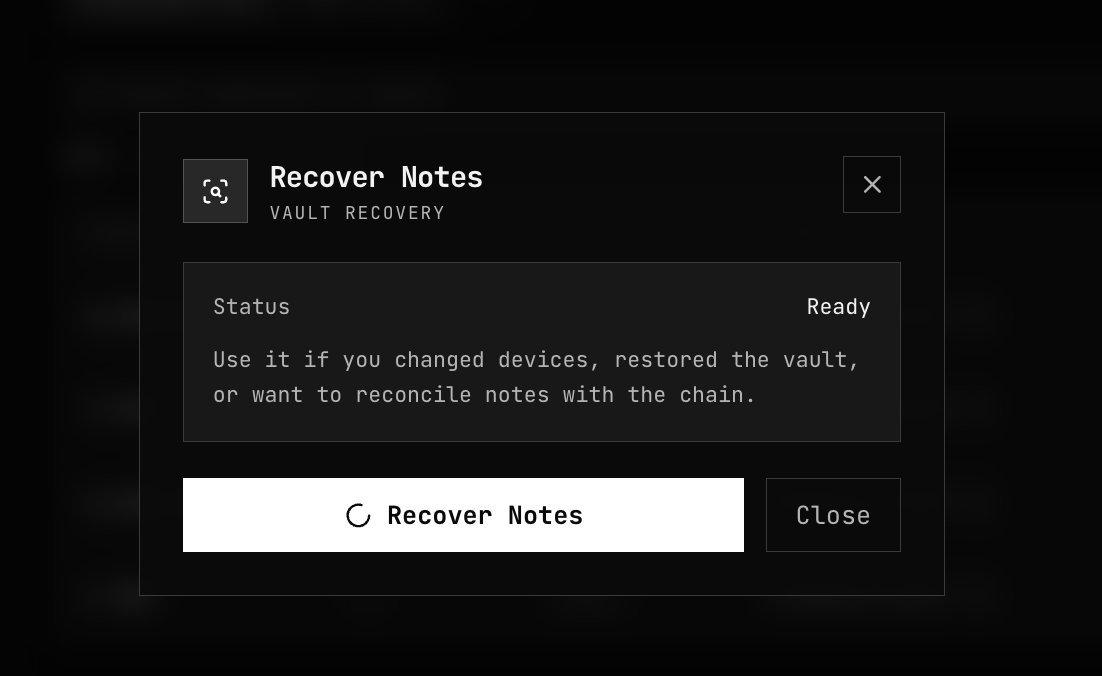
- Press Recover Notes. The dialog shows the Status — Ready, Scanning, Paused, Done or Failed — and the progress as "N / M scanned — K recovered".
- Wait for Done and the summary, which starts with "Scan complete:".
| Button | What it does |
|---|---|
| Cancel scan | Stops the scan; its progress is kept, so you can resume it |
| Minimize | Closes the dialog; the scan continues in the background and the list fills in as notes are found |
| Resume | Continues a paused scan from where it stopped |
| Start over | Discards a paused scan's progress and scans the whole pool again |
| Scan again | Runs a new full scan after one has finished or failed |
While a scan runs, the app keeps the screen on, where the browser supports it, so a phone does not sleep and freeze the tab.
The scan downloads the pool's encrypted notes and the list of spent notes, and checks them on your device, so no server learns which notes are yours. How long it takes depends on how busy the chain has been. How scanning works: Note Discovery.
If the scan stops
The scan saves its progress as it goes. Reloading the page, closing the tab, a phone that froze the tab or Cancel scan do not lose it:
- Open the app again in the same browser and unlock the vault with the same account.
- The Notes list shows "Note recovery paused — resume to finish restoring your balance." Press Resume, or open Recover Notes, which shows Paused and "Recovery paused after N scanned. Progress is saved — resume where it left off."
- The scan continues from where it stopped, and the progress counts the whole pool.
If the connection drops, the scan waits for it to come back and retries each request a few times before it fails. A scan that fails this way shows Failed with "— progress is saved, resume to continue.", and Resume picks it up.
Until a paused scan finishes, your balance may be missing notes it has not reached yet.
A resumed scan does not remove notes that are not on chain: that needs one pass that never stopped. To get it, use Start over and let the scan finish.
When you need it
| Situation | Recover Notes? |
|---|---|
| New device, new browser, or cleared browser data | Yes, unless you have a note backup |
| Someone paid you and gave you no slip | Yes, or Sync in the spend forms |
| A spend fails with a message containing "the note has no known position in the tree; Recover Notes places it" | Yes, once; then try again |
| Reloading the page or reconnecting on the same device | No — your notes are stored locally |
| A recovery was cut short (page reloaded, tab closed, connection lost) | Resume it — see If the scan stops |
| Notes you just created (shield, change) | No — they are ready to spend as soon as they land |
A note a scan finds is checked against the chain before it counts. Until then the vault shows "N notes are not yet confirmed on chain and not counted in your balance. Sync to confirm." Press Sync; a note the chain holds confirms, and one that never confirms was never on chain.
Recover Notes or Import Notes
| Recover Notes | Import Notes | |
|---|---|---|
| Needs a backup file | No | Yes — see Export & Import Notes |
| Speed | Scans the whole pool | Reads only the notes in the file |
| Restores notes | Yes | Yes |
| Restores sent history and payment slips | Yes | No |
| What the node learns | Nothing about which notes are yours | Each imported note is confirmed with the node |
Both need the same account, unlocked, on the same network.
Related
- Export & Import Notes — the backup route
- Activity — the history Recover Notes rebuilds
- Note Discovery — encrypted memos, view tags and the outgoing viewing key
- Keys & Identity — why the same account always derives the same keys