Payment Slips
A payment slip is a short orbslip1:… string that lets the recipient add the note you sent them at
once, without scanning the pool. The app makes one for every private transfer to someone else.
Share a slip (sender)
- Send a private transfer to another privacy address.
- When it confirms, the Private Transfer Sent receipt opens. Under "Payment Slip — share it with
the recipient", press Copy, or Download to save it as a
.txtfile. - Send the slip to the recipient however you like: chat, email, anywhere.
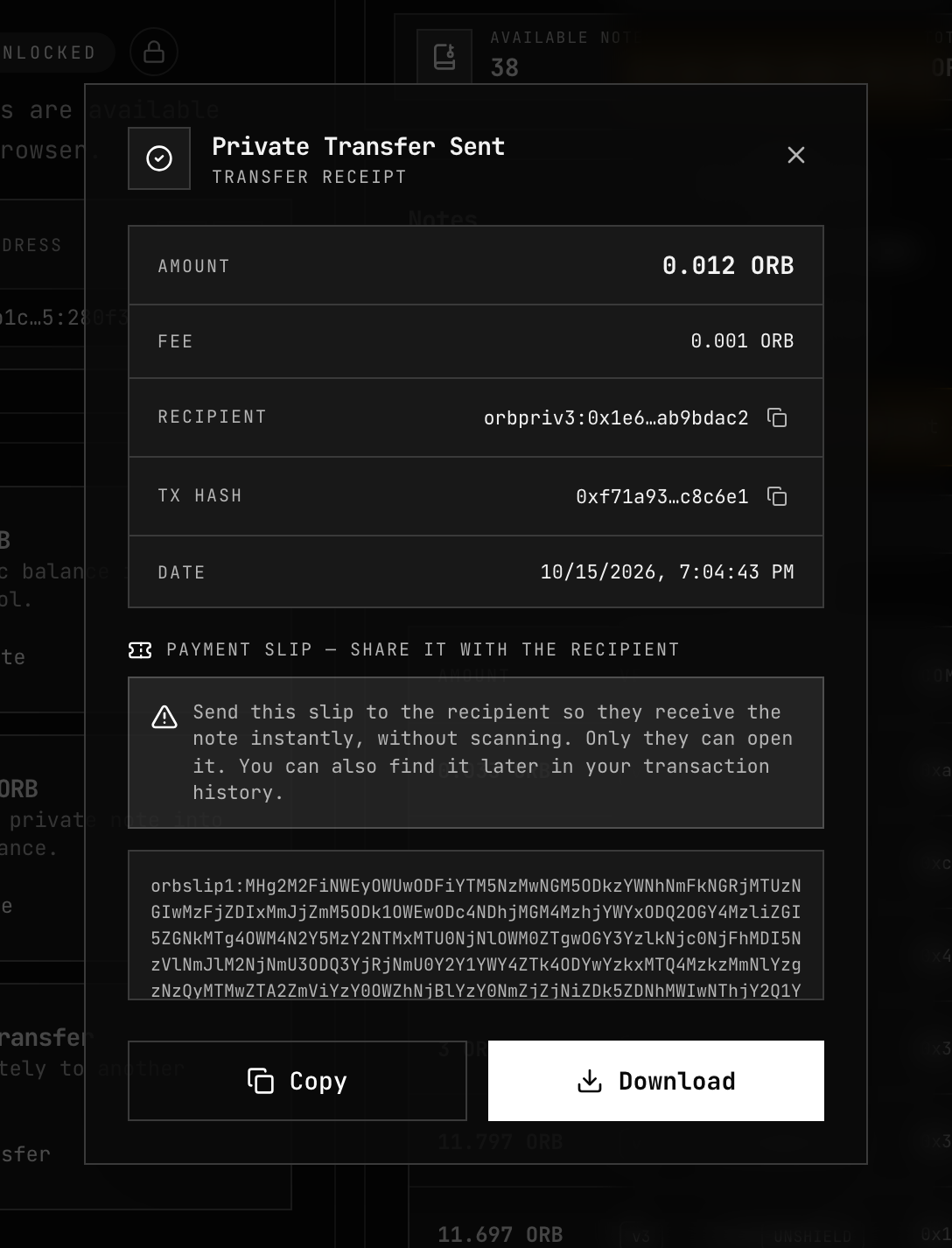
Closing the receipt loses nothing. The slip stays with the payment: open Activity, find the payment's OUT row, and copy the payment slip under To.
A self-transfer pays nobody else, so it has no receipt and no slip.
What a slip contains
| A slip carries | A slip never carries |
|---|---|
| The recipient's note commitment and encrypted memo — data already on chain — sealed so only the recipient can open it | Any spending key |
Someone who intercepts a slip learns nothing from it, and cannot spend the note. A forged slip adds nothing: the app checks the note against the chain.
Import a slip (recipient)
- Open Shielded Pool → More actions (…) → Import Slip.
- Paste the
orbslip1:…string into Import Payment Slip. - Press Import. The app opens the slip with your keys, checks that the note is on chain, and shows "Note received and added to your vault."
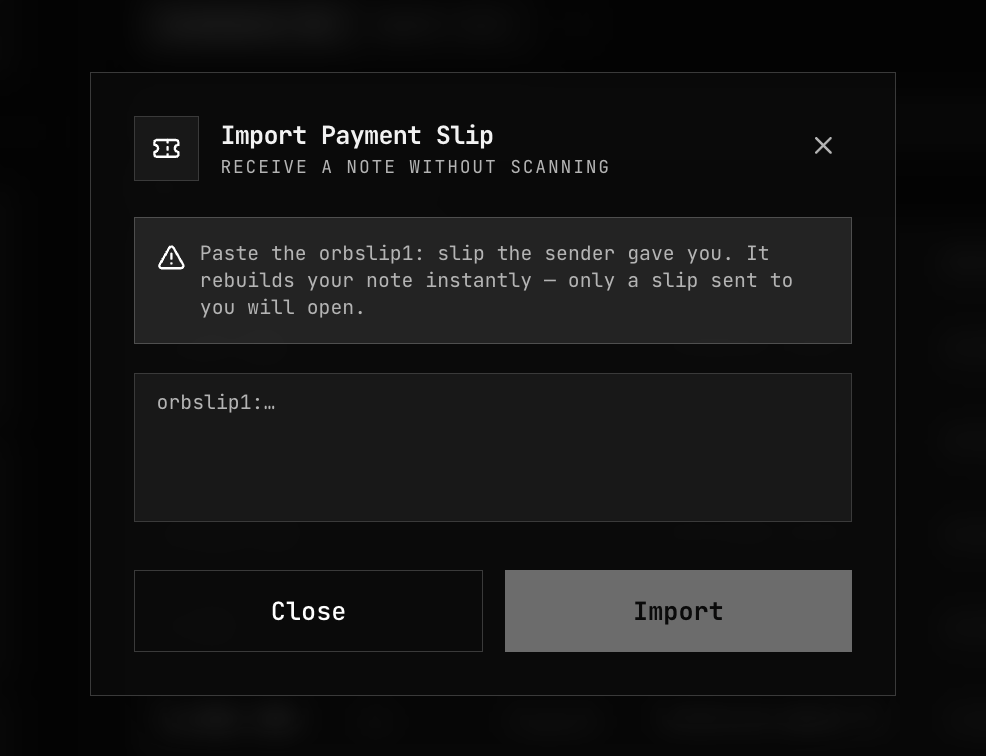
Checking the note asks the node about that one note.
| Message | What to do |
|---|---|
| "This slip is not valid, or was not sent to you." | Check you pasted the whole slip, and that the sender used your privacy address on this network. |
| "This note is not on chain, or could not be confirmed. If the transfer is recent, try again in a moment." | Wait for the transfer to confirm, then import again. |
| "Unlock the vault before importing a slip." | Unlock the vault first. |
Slip or Recover Notes
| Use | When |
|---|---|
| Import Slip | The sender gave you a slip. One note, added at once. |
| Recover Notes | You have no slip, are on a new device, or want everything. Scans the whole pool — see Recover Notes. |
On a new device, Recover Notes brings your sent payments back to Activity with fresh slips. A fresh slip opens to the same note as the original.
Related
- Receive Privately — how payments reach your vault
- Activity — where sent payments keep their slips
- Recover Notes — finding notes without a slip
- Note Discovery — how a note is encrypted to its recipient