Export & Import Notes
A note backup moves your notes between your own devices without scanning the pool. The file holds no spending key, so it grants nothing on its own.
Export Notes
- Open Shielded Pool → More actions (…) → Export Notes.
- The Export Notes dialog (Closed JSON backup) shows how many notes it holds.
- Press Download to save
orbinum-notes-<date>.json, or Copy to put the JSON on your clipboard.
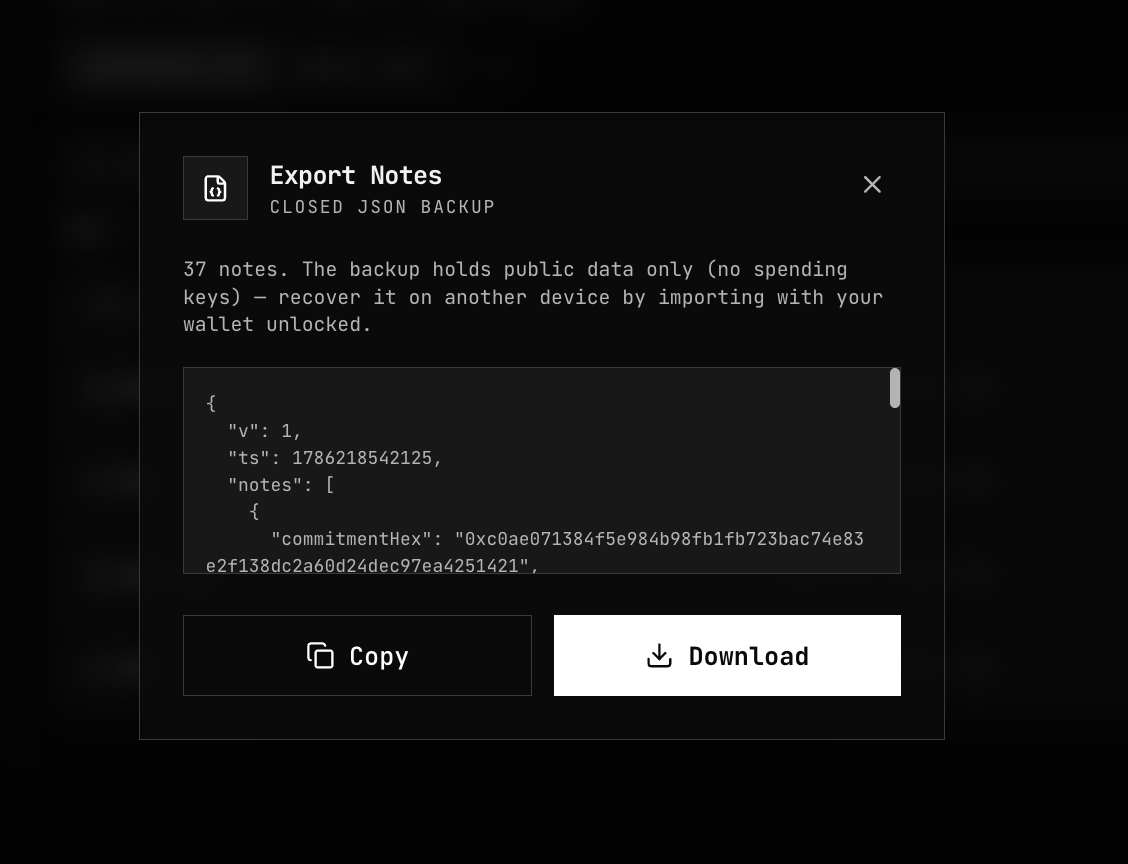
The backup lists every note, available and spent:
| Field | What it is |
|---|---|
commitmentHex | The note's commitment, already public on chain |
encryptedMemo | The note's encrypted memo, already public on chain |
leafIndex | The note's position in its Merkle tree, when known |
spent, spentAt | Whether the note was spent when you exported, and when |
The file is format version 2 ("v": 2). Keep it with your other backups.
Import Notes
- On the other device, connect the same account and unlock the vault on the same network.
- Open Shielded Pool → More actions (…) → Import Notes.
- Press Choose JSON file, or paste the JSON under Or paste JSON and press Import.
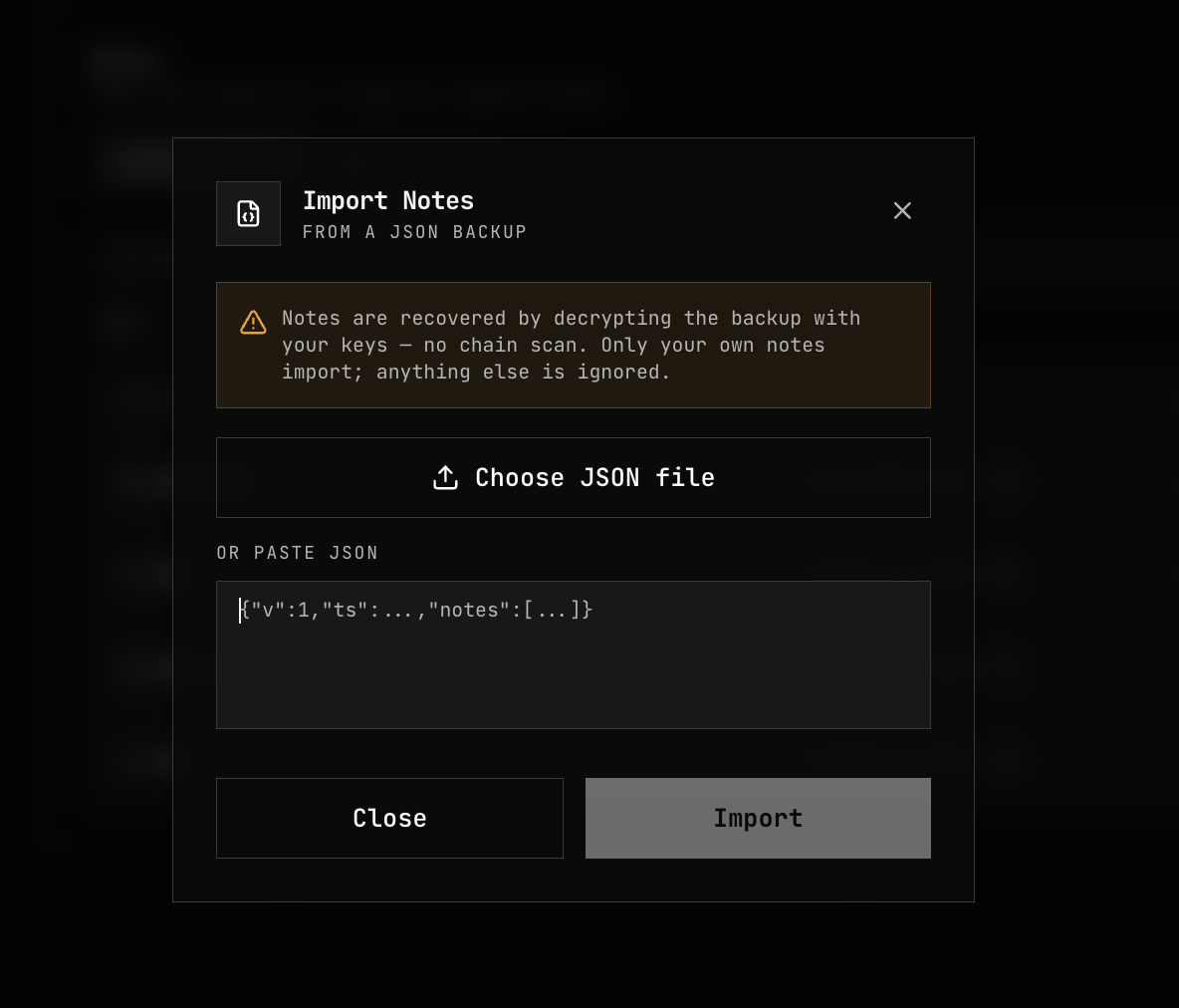
The app decrypts each memo with your keys. A memo that opens is your note; anything else is ignored, so importing someone else's backup recovers nothing. Each note that opens is then confirmed on chain before it is added: the app asks the node whether it holds the note and whether it is spent, and takes its position in the tree from the answer. The spent flags in the file are replaced by what the chain says.
The result reads "Recovered N of your notes", with how many were already in the vault. Notes the chain does not confirm are left out: "N could not be confirmed on chain and were not imported."
Confirming a note asks the node about that note at import time. Once imported, a note is spent like any other: building its Merkle path does not ask the node again. If you would rather the node learn nothing, use Recover Notes instead.
What an import does not restore
An import restores your notes, not your sent history. Payments you made, their recipients and their payment slips come back only with Recover Notes.
Errors
| Message | What to do |
|---|---|
| "No notes in this backup are yours." | The file belongs to another account or network. Unlock with the account that exported it. |
| "Unlock the vault before importing notes." | Unlock the vault first. |
| "Note backup is not valid JSON." / "Note backup is missing required fields." | The file is damaged or incomplete. Export it again. |
| "Unsupported note-backup version: …; export a new backup." | Export a new backup from the source device. |
| "Note backup exceeds …" | The file is over the size or entry limit. Use Recover Notes instead. |
Related
- Recover Notes — rebuilding the vault without a backup
- Payment Slips — adding one received note
- Notes — commitments and encrypted memos