Nominate
A nominator bonds ORB and chooses up to 16 validators to back. At each election the chain spreads the bond over the chosen validators that get elected; each era they earn, the nominator receives a share of their reward after commission. Rewards arrive on their own.
- At least the minimum nominator bond — 10 ORB on testnet, 100 ORB on mainnet — plus a little for fees.
- An account that does not validate and is not in a pool: an account takes one role at a time.
1. Open Nominator and connect
In the app, open Staking → Nominator and connect your wallet: Talisman or SubWallet for Substrate accounts, MetaMask or another EVM wallet, or a Solana wallet. EVM and Solana wallets sign a readable text of each action; compare it with the panel in the bottom-right corner before approving.
The page is a two-step setup: Bond, then Choose validators.
2. Bond
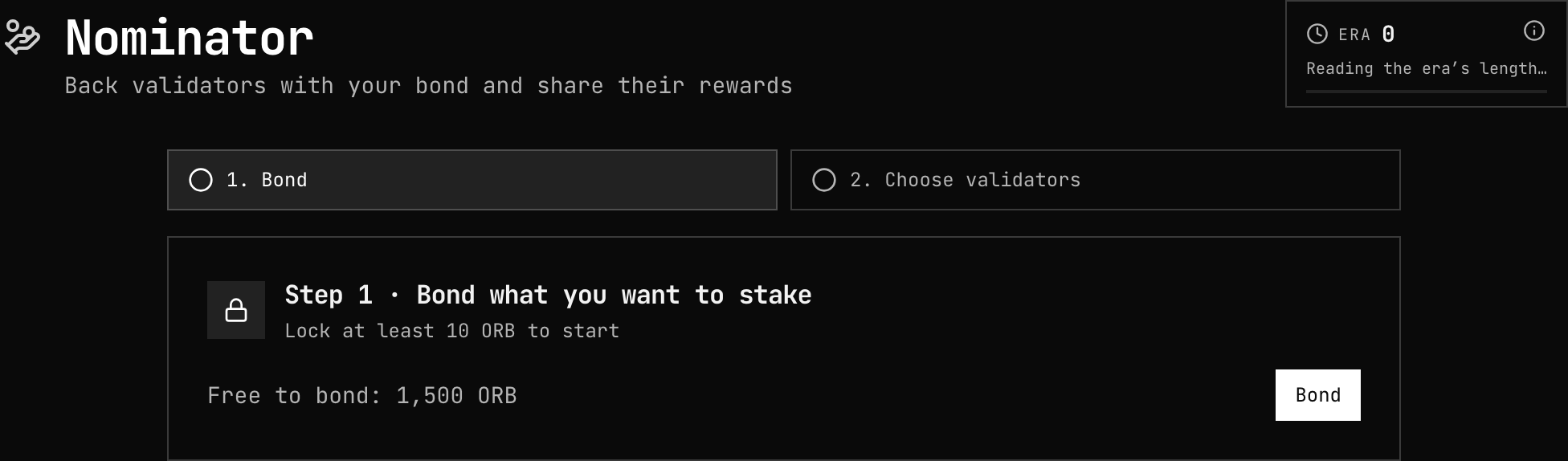
Press Bond, enter the amount, and choose where rewards go:
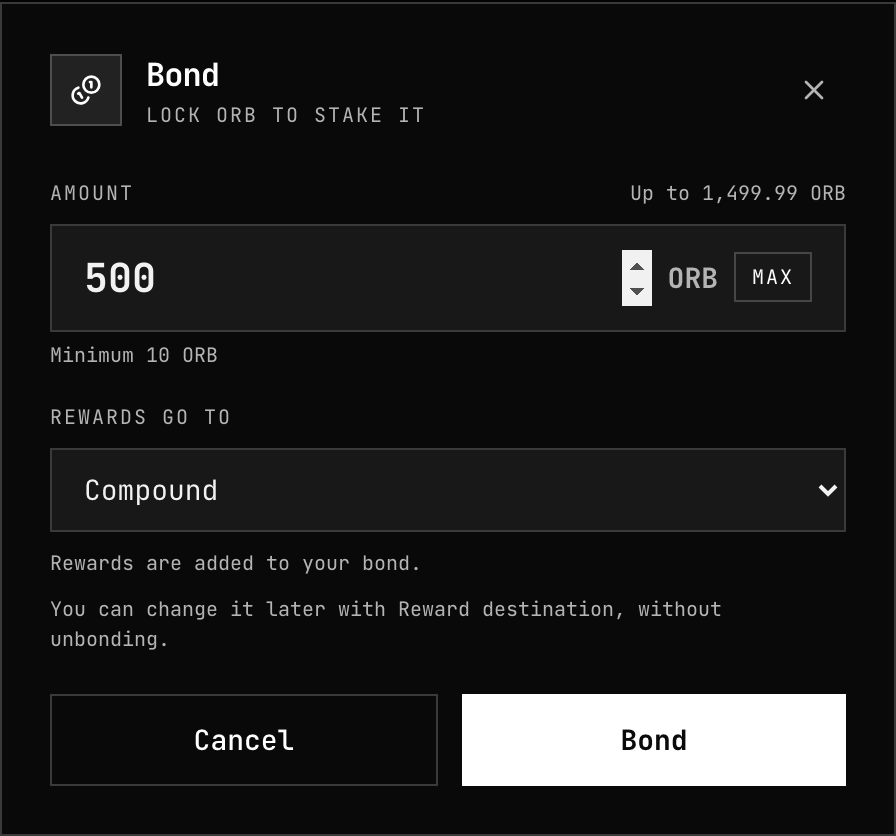
| Rewards go to | Effect |
|---|---|
| Compound | Added to your bond, so they earn too |
| This account | Paid to your free balance |
| Another account | Paid to an address you enter |
| No rewards | Not paid |
Leave some balance unbonded: bonded ORB cannot pay fees.
3. Choose validators
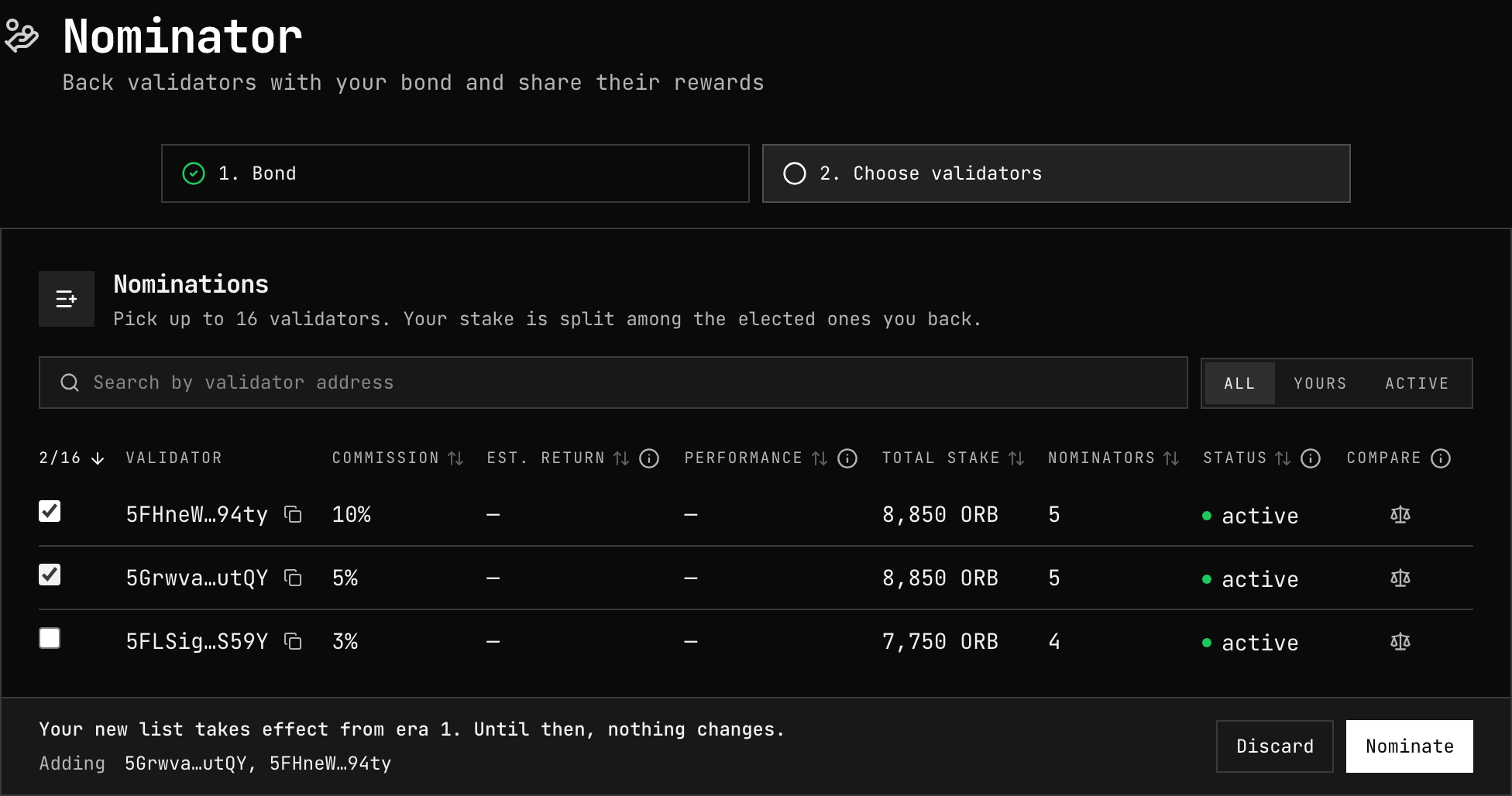
The table lists every candidate with its commission, estimated return, recent performance, total stake, number of nominators and status. Filter by All, Yours or Active, sort by any column, and tick up to 16. Candidates that cannot be nominated are greyed out.
Mark up to three with Compare to see them side by side:
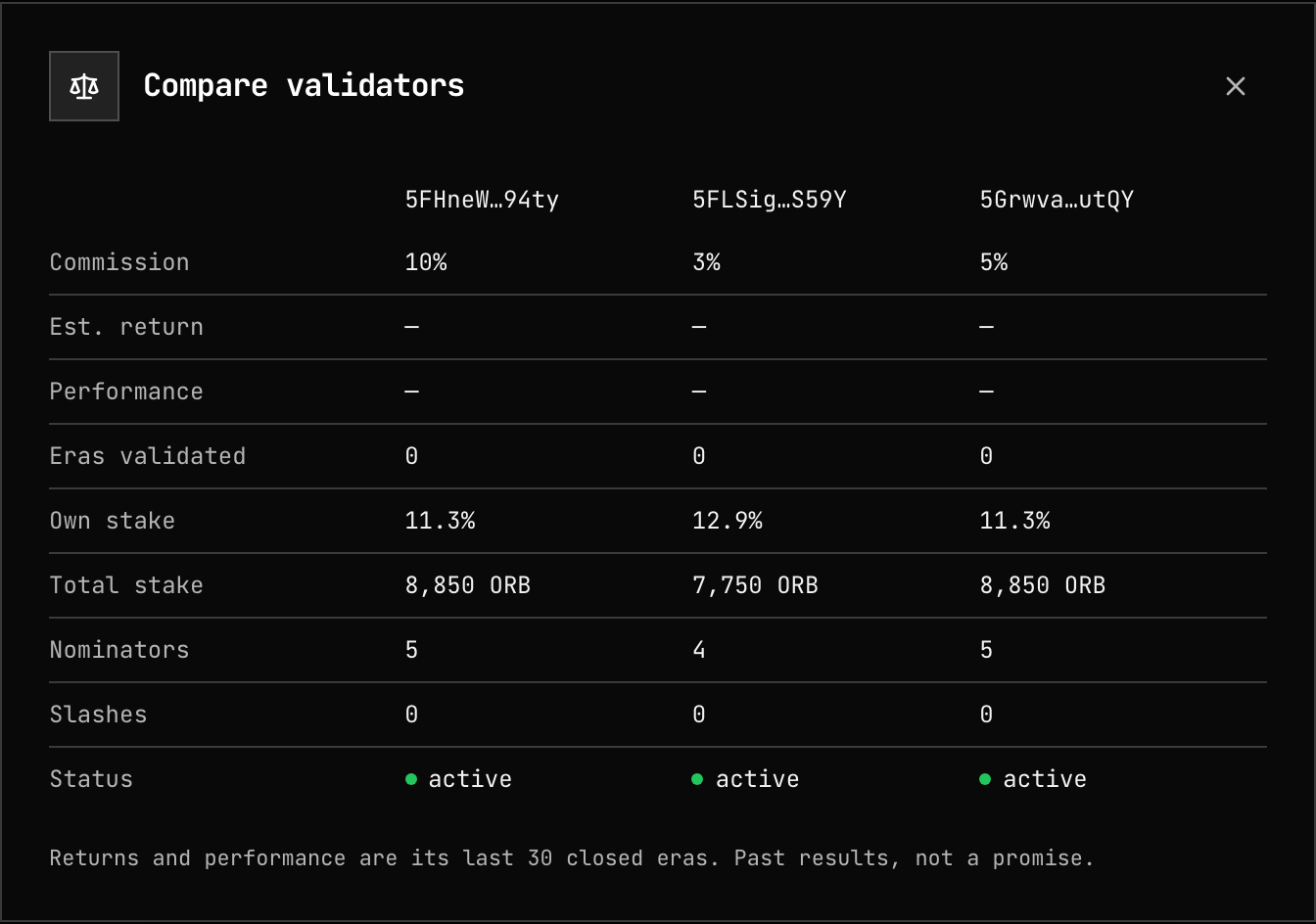
Click a validator to open its public record — stake, commission, estimated return, eras, nominators, and any slashes or offences:
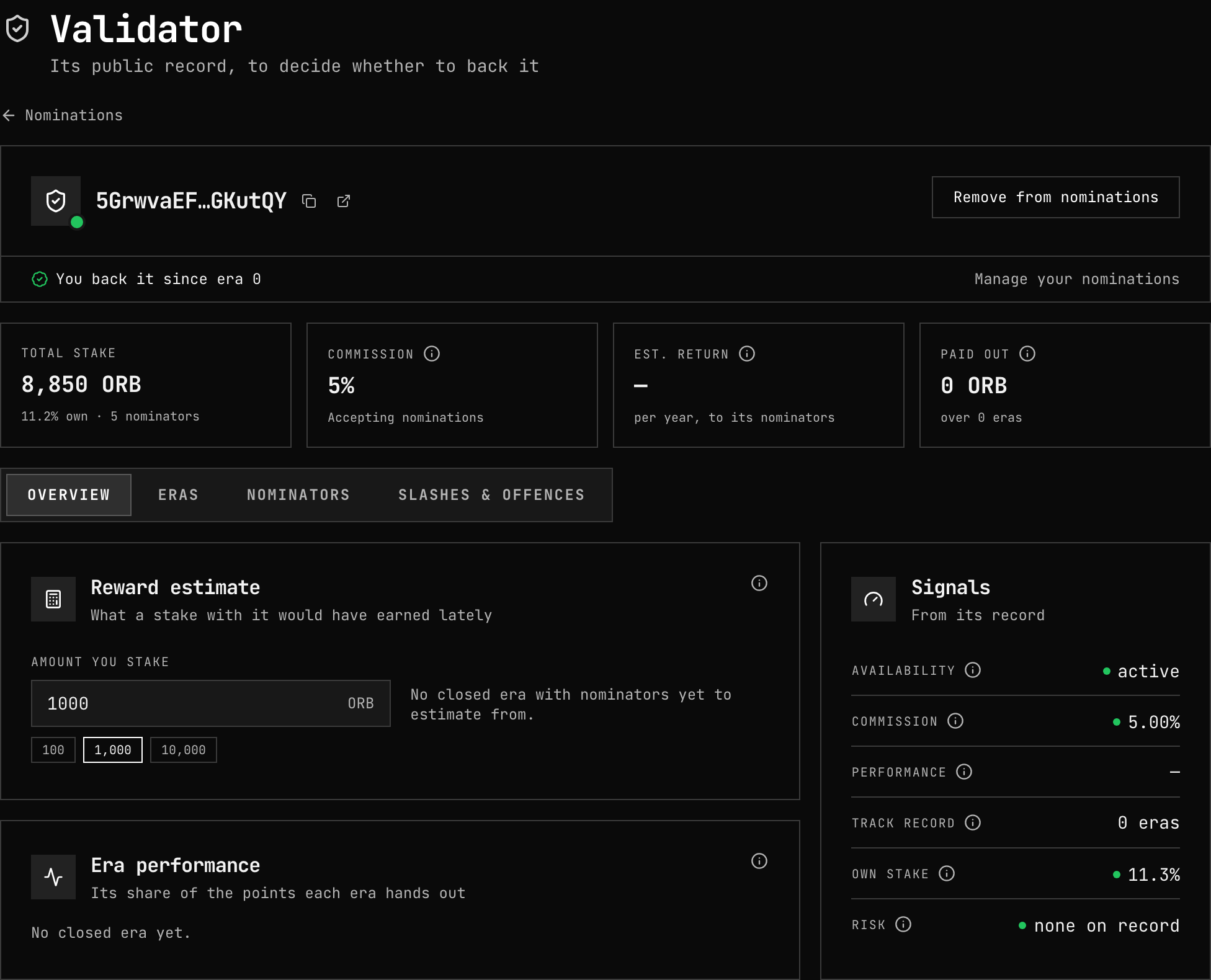
Press Nominate. The footer says from which era the change counts.
What to look for
- Commission is taken before your share; a low one is not worth much from a validator that is often not elected or misses blocks.
- Performance and status: you earn only from validators that are elected and author blocks.
- Slashes and offences: a validator's equivocation slashes you too — see Slashing.
- Spread: backing several validators lets the election use your bond where it is needed.
When it starts to count
Your nomination is read at the next election, about two hours before the current era ends, and earns from the era that election starts. The election only counts the 100,000 voters with the most stake; a bond below that cutoff earns nothing that era.
4. Manage your stake
Once you nominate, the page becomes your dashboard: Staked, Nominating N of 16 and Unlocking, with three tabs.
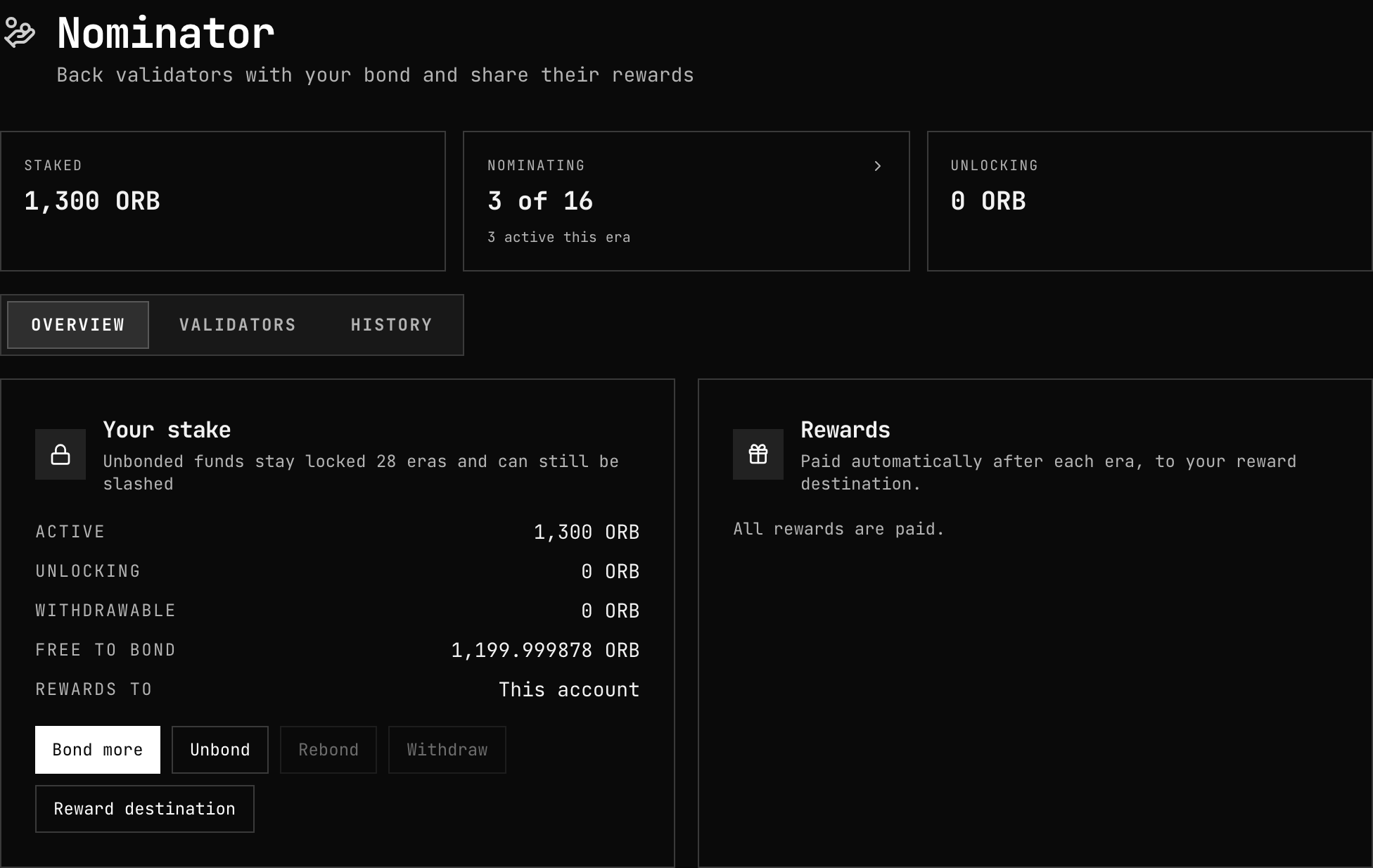
- Overview — Your stake: Bond more, Unbond, Rebond, Withdraw and Reward destination; and Rewards: what automatic payment is doing, and any era still pending with Claim.
- Validators — the same picker, to change your nominations (Update nominations) or Stop nominating.
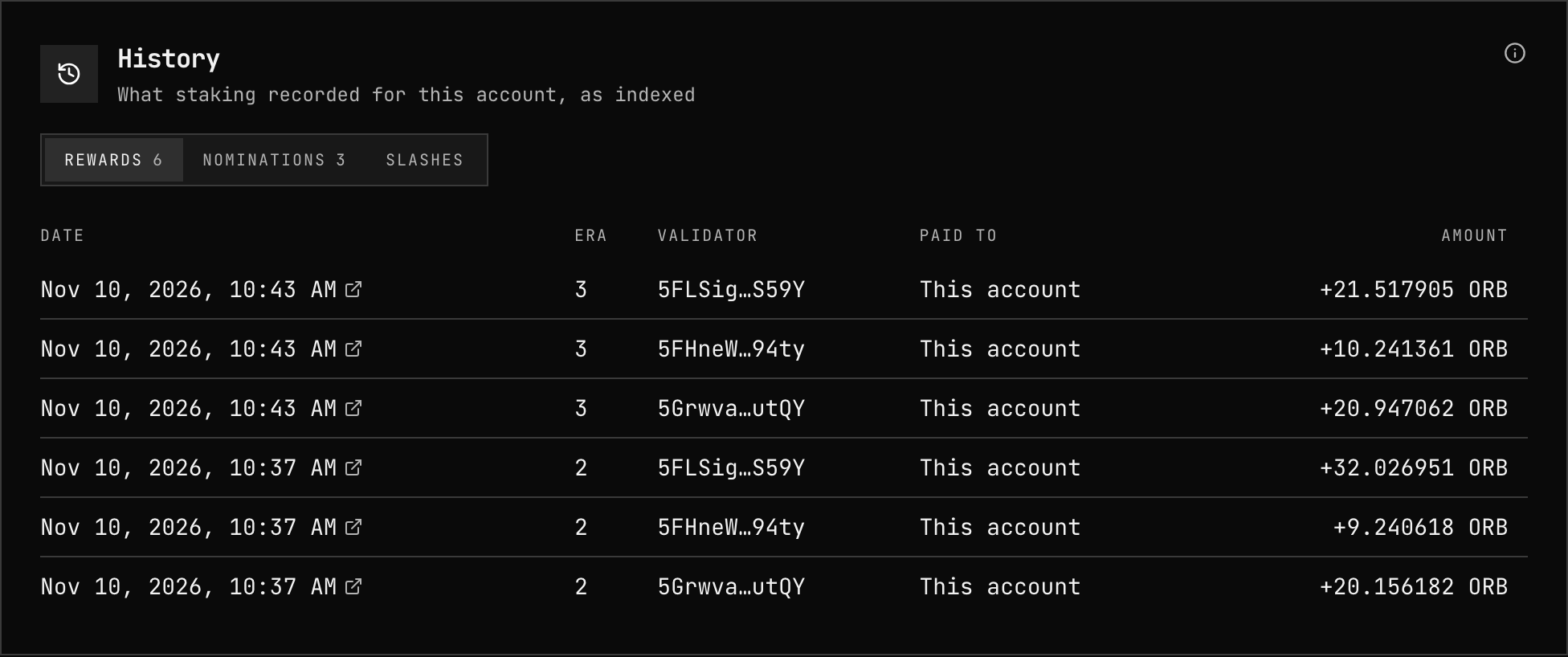
- History — rewards, nominations and slashes, era by era.
Unbonding
Unbond starts a 28-era (about 28 days) unbonding. The funds stay at stake and can be slashed until they unlock; Rebond returns them to the bond before then. When they unlock, Withdraw moves them to your free balance. Withdrawals wait while a slash from the previous era is still pending.
5. Stop nominating
Validators → Stop nominating (staking.chill) ends your nominations from the next
election; your bond stays bonded. Unbond and withdraw to recover it.
Related
- Rewards — how a nominator's share is computed
- Slashing — what you risk
- Join a pool — staking from 1 ORB
- Parameters — minimums and periods