Join a Pool
A nomination pool bonds its members' ORB together and nominates validators on their behalf. You stake from 1 ORB, the pool's operator chooses the validators, and the pool's rewards are shared among members by stake. Your funds never leave your account: they are held there as a delegation to the pool.
- At least 1 ORB plus a little for fees.
- An account that does not stake directly (nominate or validate): an account takes one role at a time, and a pool member belongs to one pool.
1. Browse pools
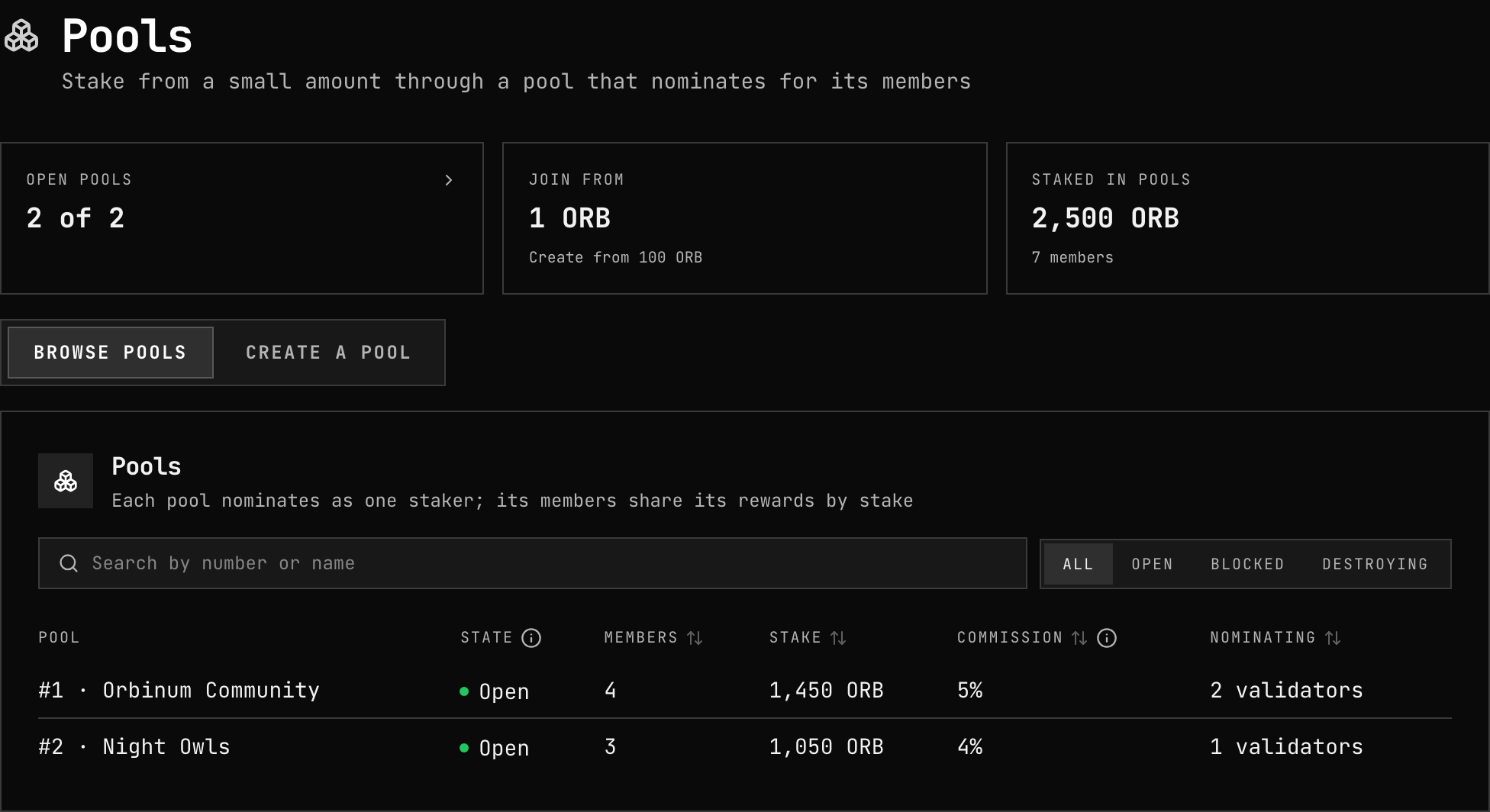
In the app, open Staking → Pools and connect your wallet. Browse pools lists every pool with its state, members, stake and commission; search by name and filter by Open, Blocked or Destroying. Only Open pools take new members.
2. Check the pool
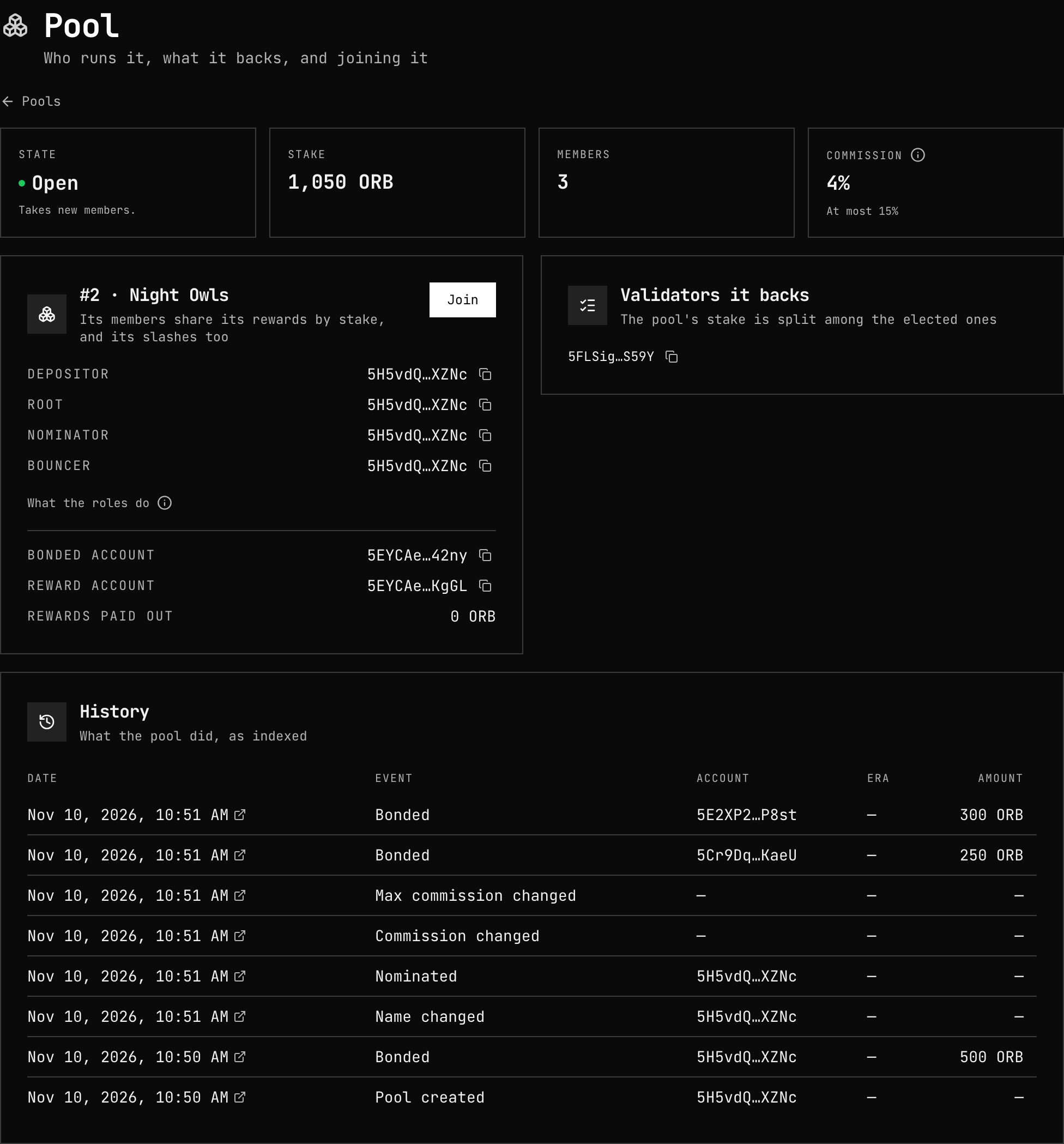
Open a pool to see who runs it, what it backs and what it charges:
| Look at | Why |
|---|---|
| Commission, its Maximum and Change rate | The pool takes its commission from the rewards before members share them. Without a maximum or change rate, the pool's root can raise it — to 100 % — in one step |
| Roles | Depositor (created it), Root (manages it), Nominator (chooses validators), Bouncer (opens and blocks it) |
| Validators it backs | The pool's rewards and slashes come from them |
| Pending slashes | A slash already decided against a validator the pool backs reaches members who join before it applies |
3. Join
Press Join, enter the amount, and read the terms the dialog shows — commission, maximum, change rate, the four roles, and any warning about commission changes or pending slashes — then Join.
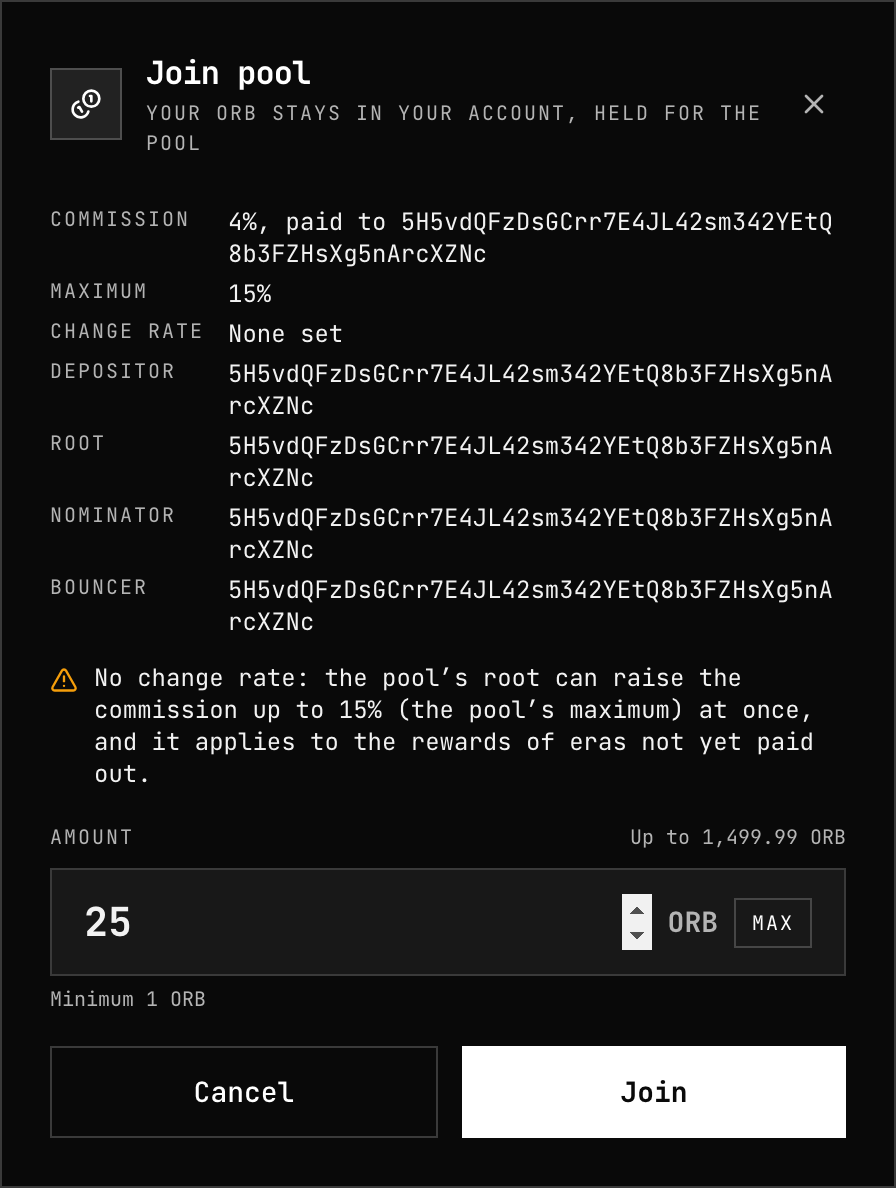
Your stake counts from the pool's next election, like any nomination.
4. Your stake in the pool
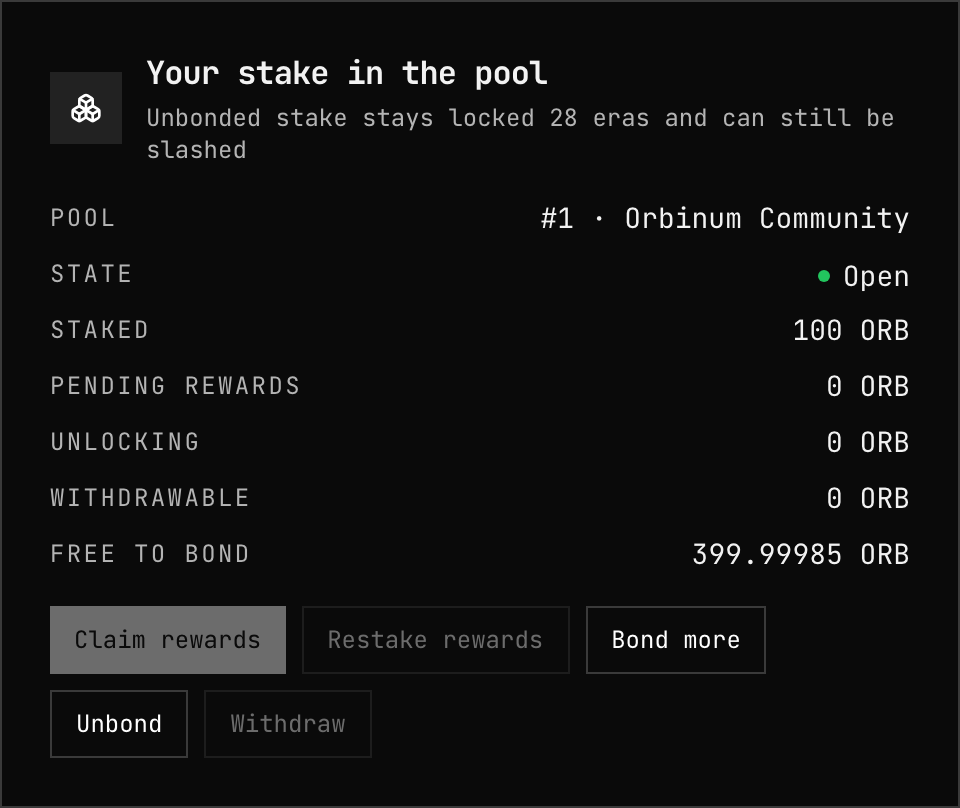
Your pool shows your membership: staked, pending rewards, unlocking and withdrawable.
Claim your rewards
Pool rewards are not paid to members automatically. The chain pays the pool; your share then waits as Pending rewards until it is claimed:
- Claim rewards — pays it to your free balance.
- Restake rewards — adds it to your stake in the pool.
Pending rewards do not expire.
Who can handle your rewards
You can let anyone claim or restake your rewards for you — useful for services that compound on your behalf. By default anyone can pay them out to you.
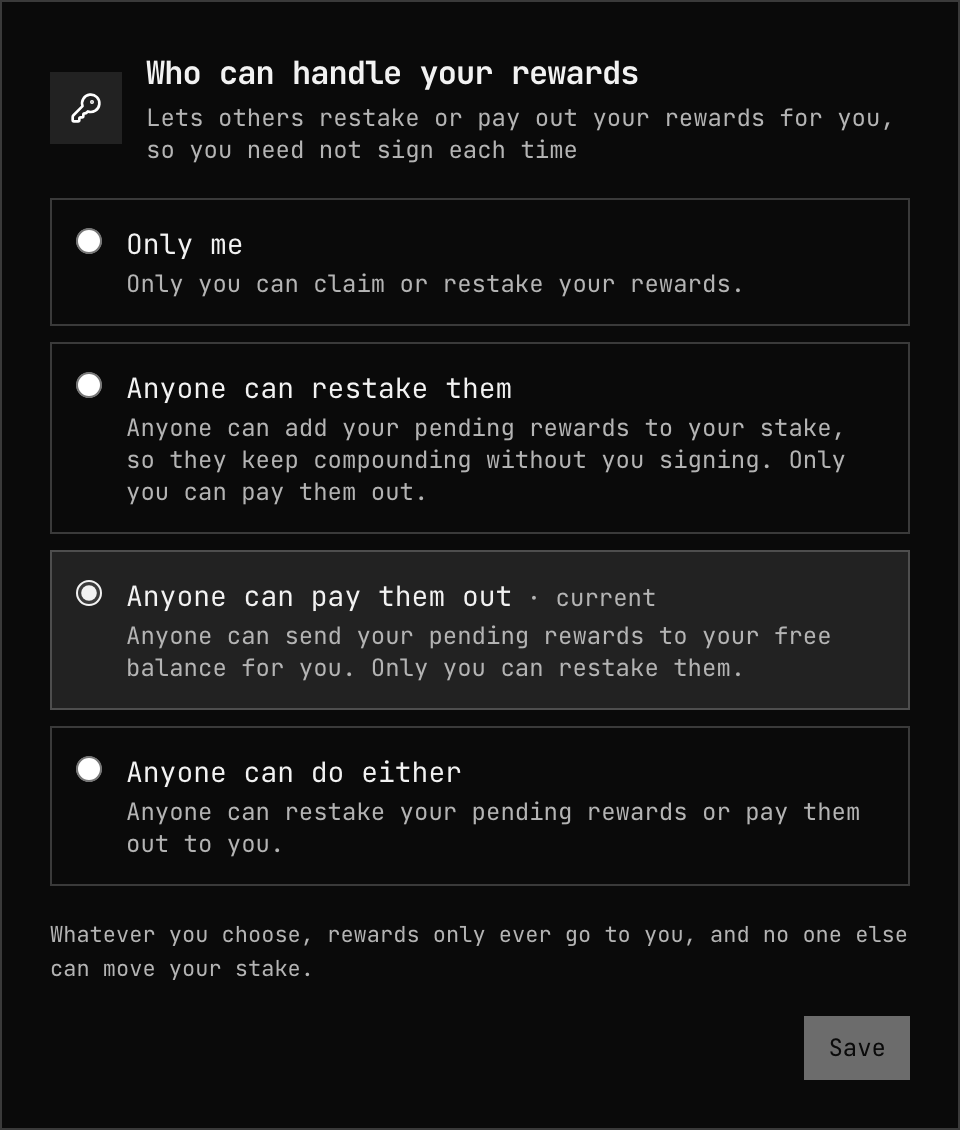
Rewards only ever go to you; the permission decides who may trigger it.
5. Bond more, unbond, withdraw
- Bond more adds free balance to your stake.
- Unbond starts a 28-era (about 28 days) unbonding of part of your stake; the dialog shows what comes back. Funds unbonding can still be slashed.
- Withdraw returns unlocked funds to your free balance.
To leave the pool, unbond everything and withdraw it.
Risks
- Commission can rise, within the pool's maximum and change rate if it set them.
- Slashing: if a validator the pool backs equivocates, the pool loses a fraction of its stake and each member pays its share — including members who joined after the offence but before the slash applied. See Slashing.
- The pool's state: a pool being destroyed takes no new stake; members unbond and withdraw.
Related
- Run a pool — creating and managing one
- Nominate — staking directly
- Rewards — how era rewards are split
- Parameters — minimums and periods