Export Your Viewing Key
Your viewing key is an orbview1:… string that lets a system you run read every payment to your
privacy address, for example for accounting, without any power to spend. You export it yourself
from the vault; nothing is published on chain.
To confirm single orders, a backend needs no key: it verifies each payer's payment proof with your public privacy address alone. Export the viewing key only when a system must read all your incoming payments.
What the key gives
| Someone holding your viewing key can | They cannot |
|---|---|
| See every payment your address has received or will receive: amounts, assets and the sender identity each payer chose | Spend your notes or sign anything |
| Check a payment slip sent to you against the chain | Tell a spent note from an unspent one |
| See who you paid |
The key is your incoming viewing key together with your owner key. Like any incoming viewing key, it opens every memo sealed to your address — see Viewing-only access.
It covers the privacy address of this account on the current network. The same account has a different privacy address, and a different viewing key, on another network.
| Need | Use |
|---|---|
| Confirm one order's payment on a server | The payer's payment proof, no key |
| Read all incoming payments, for accounting or reconciliation | The viewing key |
| Prove one note's contents to someone | A disclosure key |
Risks
- Anyone with this key sees every payment this address has received or will receive: amounts and senders.
- It cannot be revoked. If it leaks, receive on a different account from then on.
- Keep it in your server's secrets. Never paste it into a website.
Use an account just for your business, so the key does not expose your personal payments.
Export it
- Open Shielded Pool and unlock the vault.
- Open More actions (…) → Export Viewing Key.
- Read the warnings and tick "I understand this key reveals all payments to this address and cannot be revoked."
- Press Show key. The
orbview1:…key appears. - Press Copy key, store the key in your server's secrets, then press Done.
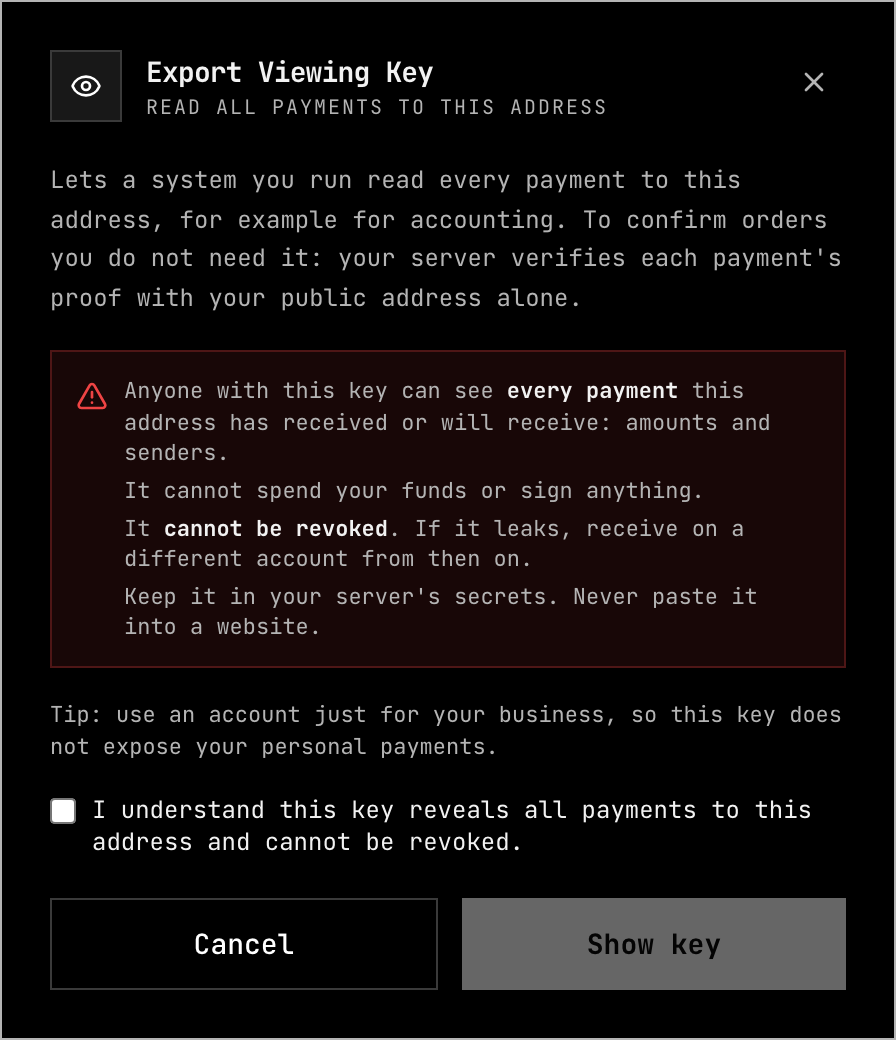
The app builds the key only when you press Show key, and forgets it when the dialog closes; it never stores it.
| Message | What to do |
|---|---|
| "Unlock the vault before exporting the viewing key." | Unlock the vault first. |
| "Could not build the viewing key." | Lock and unlock the vault, then try again. |
Verify payments with it
A backend loads the key from its secrets and uses it with @orbinum/protocol:
| Step | What happens |
|---|---|
| Decode | The key is read from its orbview1:{viewing secret key}:{owner key}:{checksum} form. The checksum catches a mistyped key; it is not a password |
| Read | A payment slip sent to your address opens with the key: amount, asset and declared sender |
| Verify | The payment is checked for the expected amount and asset, and against the chain |
A slip proves that a note to you exists, not who made it: settle an order on a slip only when it comes from a party you already trust. For orders from the public, verify the payer's payment proof instead. The full flow, with code: Verifying Payments.
Related
- Payment Slips — slips and payment proofs
- Verifying Payments — checking payments on a backend
- Keys & Identity — what viewing-only access can and cannot do
- Note Disclosure — proving one note instead of sharing a key